NEWS

MacBook Neo's Keyboard Can Be Replaced Individually

03/13/2026

34

 MacBook Neo's Keyboard Can Be Replaced Individually


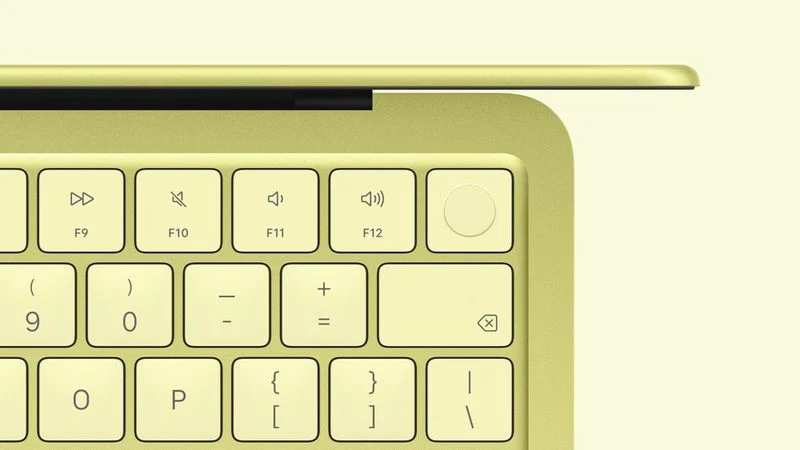
Apple has published its MacBook Neo repair manual, and it reveals some big repairability news: the keyboard can be replaced individually.


For many years, replacing the keyboard in a MacBook has required replacing the entire Top Case, which refers to the top half of the aluminum shell surrounding the keyboard. For example, the latest MacBook Air has a "Top Case with Keyboard" part, and the latest MacBook Pro models have a "Top Case with Battery and Keyboard" part.


For the MacBook Neo, there are separate Keyboard, Keyboard with Touch ID, and Top Case parts, and Apple shows how to replace the keyboard individually. While there are still more than 40 screws involved to replace the keyboard on its own, the process is much easier than replacing an entire Top Case, which requires lots of disassembly.


More importantly for customers, the MacBook Neo's individual keyboard parts will likely be much more affordable when they become available on Apple's self-service store. In the U.S., Top Case parts for recent MacBook Air and MacBook Pro models cost around $400 to $600. The standalone Keyboard and Keyboard with Touch ID parts for the MacBook Neo will likely be hundreds of dollars cheaper by comparison, but exact pricing remains to be seen.


Source: Macrumors



Windows
Mac OS
iOS
Linux
3uTools
Win 64-bit For this device
V9.03 2026-03-12
Download
Win 32-bit For this device
V9.03 2026-03-12
Download
3uTools
Intel Chip How to Identify Chip Type
V9.01 2025-12-31
Download
Apple Silicon
V9.01 2025-12-31
Download
How to Identify Chip Type
1.  Click the Apple icon in the top-left corner of the screen and select About This Mac.
2.  Check the Processor or Chip field to determine if it is "Intel" or "Apple".
Please use the 3uTools PC client to install the iOS client:
1、 Install either the Windows or Mac version of 3uTools on your computer
2、 Open the PC client and connect your device to the computer via USB cable
3、 After the connection is successful, wait for the computer to automatically install the mobile app for the device, or locate “Install Mobile App” on the computer and manually click to install.
3uTools
deb file
V3.01 2025-11-20
Download
rpm file
V3.01 2025-11-20
Download
Windows
Windows
iOS
iOS
Android
Android
TV
TV
3uAirPlayer
Win 64-bit For this device
V6.0.3 2026-03-11
Download
Win 32-bit For this device
V6.0.3 2026-03-11
Download
iOS Device Mirroring (No App Required)
1、 Install 3uAirPlayer on the Windows PC
2、 Open Control Center and select Screen Mirroring
3、 From the list, choose your PC to start mirroring
4、 Or connect your iOS device to the PC via USB to begin mirroring
Scan to get "3uAirPlayer" App
3uAirPlayer TV V1.0.18
2025-11-28
TV System Requirements: Android 7.0 or later
Download the TV installation package, copy it to a USB drive, insert it into your TV or set-top box, then select the file from the home screen to install.