 NEWS
NEWS
Apple's Smart Home Hub Won't Launch Until September as Siri Remains Unfinished
 03/10/2026
 1387
1387
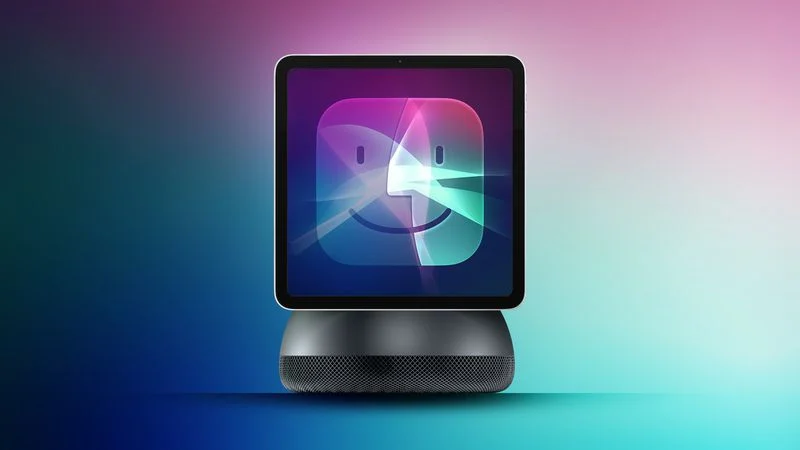
Apple is postponing the launch of its planned smart home hub until September 2026, reports Bloomberg. Apple has pushed back the debut of the home hub multiple times due to ongoing issues with the revamped version of Siri. The hub has a heavy AI focus and it is tied to the more intelligent Siri that Apple has in the works.
Prior to realizing the Apple Intelligence version of Siri would not be ready until 2026, Apple planned to launch the home hub in spring 2025. After it became clear Siri would need to be delayed, Apple then aimed for a spring 2026 launch for the home hub because it planned to release Siri in iOS 26.4.
Siri is not present in the iOS 26.4 beta because the new version is still not ready, so Apple is now going to hold the home hub until September. Apple is reportedly experiencing issues with Siri accuracy and it hasn't managed to get all of the promised Siri features working reliably.
A September launch timeline suggests we are not going to see new Siri capabilities until iOS 27, as September is when iOS 27 will come out. Apple has promised that the new version of Siri will launch in 2026, and as long as it debuts before December, Apple won't miss the timeline that it gave to the public.
The smart home hub has apparently been finished and ready to launch for several months, but it can't be released without the Siri update. The device is similar in design to an iPad, but with a 7-inch square display. It can be attached to a wall or used with a speaker base, and there is a camera for facial recognition. The hub can tell when people are in the room and when someone walks up to it, and it will offer content specific to each person in the home.
Apple designed it to be an AI hub for controlling smart home products, making calls, viewing apps like Calendar and Reminders, and much more. It is meant to be similar to the Amazon Echo Show, which is an Alexa-enabled speaker with a display.
Apple's home hub does not include its own App Store, but it does run Apple apps. It will feature round app icons that are arranged similarly to apps on the Apple Watch, and it will run a version of tvOS 27.
Apple first showed off the new version of Siri in June 2024, and planned to launch the features in iOS 18.4. Siri capabilities include personalization, onscreen awareness, and the ability for Siri to do more in and between apps, as well as image generation using Image Playground and a web search feature that summarizes information from web results.
The Apple Intelligence Siri updates were meant to be followed by an iOS 27 update that turns Siri into a ChatGPT-style chatbot, but now it seems like all of the new features could come at once in iOS 27. Apple is planning to revamp Siri to make it look and feel more like a chatbot.
Source: Macrumors










