 NEWS
NEWS
Apple Unveils iPad Air With M4 Chip, Increased RAM, Wi-Fi 7, and More
 03/03/2026
 1672
1672
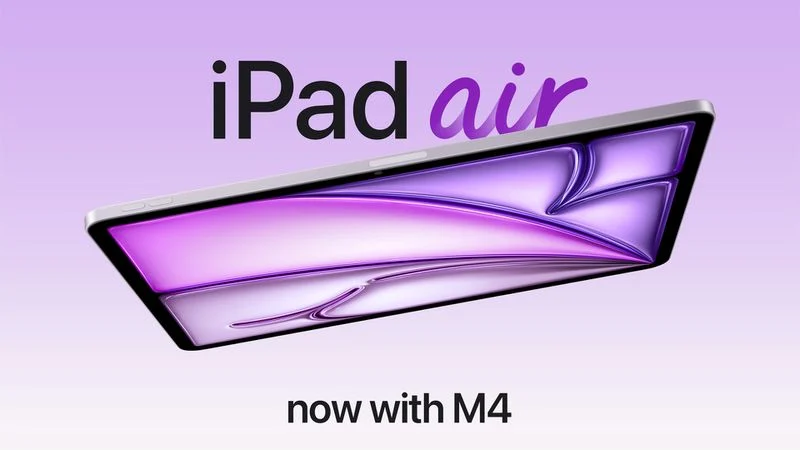
Apple today introduced a new iPad Air, with key upgrades including Apple's M4 chip for faster performance, an increased 12GB of RAM, Apple's N1 wireless networking chip with Wi-Fi 7 support, and Apple's custom C1X modem in cellular models.
The new iPad Air has the same overall design as the previous-generation model, which is equipped with the M3 chip, 8GB of RAM, and Wi-Fi 6E support.
With the M4 chip, the iPad Air now has up to 30% faster multi-core CPU performance compared to the model with the M3 chip, according to Apple. In the iPad Air, the M4 chip has an 8-core CPU, a 9-core GPU, and a 16-core Neural Engine. Memory bandwidth increased from 100GB/s to 120GB/s, according to Apple's tech specs.
Apple's custom N1 chip has come to the iPad Air, enabling Wi-Fi 7, Bluetooth 6, and Thread. Apple says the N1 chip delivers improved wireless performance when the device is connected to 5GHz Wi-Fi networks, and it improves the overall performance and reliability of features like AirDrop and Personal Hotspot. Apple introduced the N1 chip last year, across the iPhone 17, iPhone 17 Pro, iPhone 17 Pro Max, iPhone Air, and iPad Pro.
Cellular models are now equipped with Apple's custom C1X modem for 5G and LTE. Apple says this chip unlocks up to 50% faster cellular performance, while using up to 30% less power compared to the previous iPad Air with a Qualcomm modem.
You can pre-order the new iPad Air on Apple.com and in the Apple Store app starting Wednesday, March 4, with availability set to begin Wednesday, March 11. In the U.S., pricing continues to start at $599 for the 11-inch model, and at $799 for the 13-inch model. Color options remain Blue, Purple, Starlight, and Space Gray.
Storage capacity options remain 128GB, 256GB, 512GB, and 1TB.
iPad Air continues to feature an LCD screen with up to 500 nits of brightness, a 12-megapixel front camera with Center Stage support, a 12-megapixel rear camera, Apple Intelligence support, a Touch ID power button, a USB-C port stereo speakers, two microphones, Magic Keyboard and Apple Pencil Pro support, and more.
Source: Macrumors










