 NEWS
NEWS
Two More Studio Display 2 Upgrades Leaked in New Report
 02/28/2026
 1173
1173
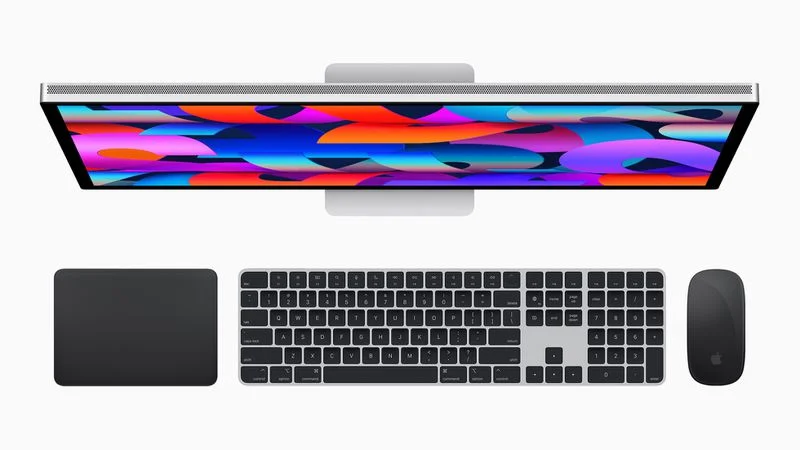
Macworld's Filipe Espósito today again reported that Apple appears to be developing two new Studio Display models with different specs.
Based on lines of code in "internal Apple files," which likely refers to a macOS Tahoe Kernel Debug Kit that leaked online last year, Espósito continues to believe that both of the new Studio Display models will feature ProMotion, enabling up to a 120Hz refresh rate, as well as HDR support for increased brightness and dynamic range.
For the higher-end Studio Display, the report has revealed two more potential upgrades that had yet to be rumored until now, including superior speakers and more and/or higher-spec ports. Apple says the current Studio Display has a "high-fidelity six-speaker system" that supports Spatial Audio, and the monitor has one Thunderbolt 3 port that connects to and charges a Mac, and three USB-C ports for connecting accessories.
The new Studio Display will likely feature at least one Thunderbolt 5 port, to ensure there is enough bandwidth for both 5K resolution at 120Hz and accessories. However, another leaker curiously claimed that at least one of the new Studio Display models will max out at 90Hz, so we will have to see which of these rumors is accurate. A boost to the current 60Hz refresh rate can make videos and scrolling look smoother to the eye.
Espósito said that the higher-end Studio Display could have a 32-inch screen, whereas the lower-end model would likely stick with a 27-inch screen. However, this particular claim was merely speculation, rather than info from the internal Apple files. Keep in mind that with a 32-inch screen, 5K resolution would not be Retina quality, so the resolution would have to increase to 6K like on Apple's higher-end Pro Display XDR.
Display industry expert Ross Young previously said that at least one new Studio Display would feature mini-LED backlighting. If so, perhaps Apple will opt to discontinue its Pro Display XDR with full-array LED backlighting and instead offer both lower-end and higher-end Studio Display configurations. But again, this is just speculation.
Another previously-rumored feature for at least one of the new Studio Display models is an A19 or A19 Pro chip, up from the A13 Bionic chip in the current model. This would contribute to improved performance, camera enhancements, and more.
Altogether, the full set of Studio Display upgrades could include a higher 120Hz refresh rate, HDR support for increased brightness and contrast ratio, improved speakers, Thunderbolt 5 support, mini-LED backlighting, a newer A19 or A19 Pro chip for performance and camera enhancements, and hopefully a larger 32-inch screen.
No major design changes are expected.
Apple reportedly plans to release the new Studio Display models in the first half of 2026. The current Studio Display launched in March 2022, alongside the first Mac Studio, so there has been a long wait for a refresh. With a new Apple monitor surfacing in a regulatory database last month, a launch should finally be getting close.
Source: Macrumors










