NEWS

Will the iPhone Air 2 Launch This Year? The Latest Report Says No

Just now

24

 Will the iPhone Air 2 Launch This Year? The Latest Report Says No


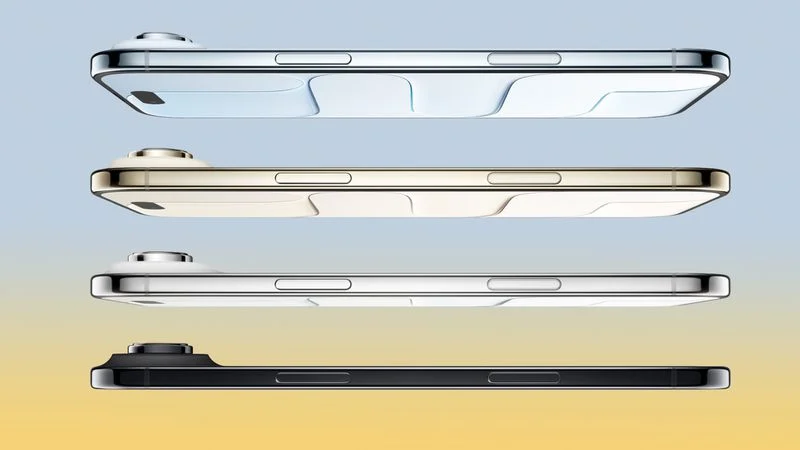
A second-generation iPhone Air is "not expected this year," according to a Nikkei Asia report today that cites people familiar with Apple's supply chain.


The report said Apple plans to release an iPhone 18 Pro, iPhone 18 Pro Max, and foldable iPhone later this year, followed by the base model iPhone 18 in the first half of next year. The report said Apple does have a revamped iPhone Air in the pipeline, but the publication does not expect it to launch until at least 2027.


While one leaker on the Chinese social media platform Weibo has insisted that the iPhone Air will receive a spec bump this year, most reports from sources such as Bloomberg and The Information have pointed to an early 2027 launch. If so, the iPhone Air 2 would likely be released alongside the base model iPhone 18.


Last year, The Information reported that Apple was aiming to add a second rear camera to the next iPhone Air. That report added that the next iPhone Air could weigh less, have a larger battery capacity, and gain a vapor chamber cooling system like the iPhone 17 Pro models have. And Bloomberg expects the device to have a 2nm chip.


While several reports indicated that the iPhone Air has been in low demand, the extreme popularity of the iPhone 17 base model and the iPhone 17 Pro models led iPhone revenue to a new all-time high last quarter, according to Apple.


Source: Macrumors

Windows
Mac OS
iOS
Linux
3uTools
Win 64-bit For this device
V9.02 2026-01-22
Download
Win 32-bit For this device
V9.02 2026-01-22
Download
3uTools
Intel Chip How to Identify Chip Type
V9.01 2025-12-31
Download
Apple Silicon
V9.01 2025-12-31
Download
How to Identify Chip Type
1.  Click the Apple icon in the top-left corner of the screen and select About This Mac.
2.  Check the Processor or Chip field to determine if it is "Intel" or "Apple".
Please use the 3uTools PC client to install the iOS client:
1、 Install either the Windows or Mac version of 3uTools on your computer
2、 Open the PC client and connect your device to the computer via USB cable
3、 After the connection is successful, wait for the computer to automatically install the mobile app for the device, or locate “Install Mobile App” on the computer and manually click to install.
3uTools
deb file
V3.01 2025-11-20
Download
rpm file
V3.01 2025-11-20
Download
Windows
Windows
iOS
iOS
Android
Android
TV
TV
3uAirPlayer
Win 64-bit For this device
V6.0.2 2025-11-19
Download
Win 32-bit For this device
V6.0.2 2025-11-19
Download
iOS Device Mirroring (No App Required)
1、 Install 3uAirPlayer on the Windows PC
2、 Open Control Center and select Screen Mirroring
3、 From the list, choose your PC to start mirroring
4、 Or connect your iOS device to the PC via USB to begin mirroring
Scan to get "3uAirPlayer" App
3uAirPlayer TV V1.0.18
2025-11-28
TV System Requirements: Android 7.0 or later
Download the TV installation package, copy it to a USB drive, insert it into your TV or set-top box, then select the file from the home screen to install.