NEWS

Warning: These Continuity Features Are Broken on Latest iOS 26.3 and iPadOS 26.3 Betas

01/29/2026

162

Warning: These Continuity Features Are Broken on Latest iOS 26.3 and iPadOS 26.3 Betas


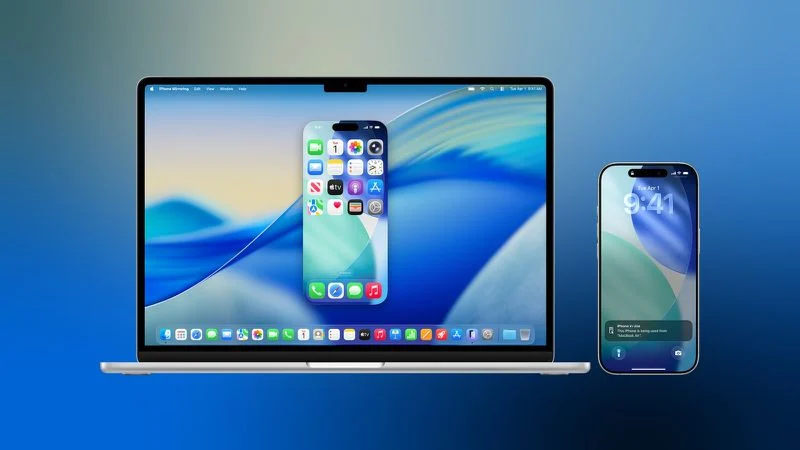
Users of Apple's latest iPhone and iPad Pro models who have been beta testing iOS 26.3 and iPadOS 26.3 may want to hold off on updating to the third betas released earlier this week, as several Continuity-related features are currently broken on these devices.


Apple has updated its developer release notes for the third betas of iOS and iPadOS 26.3 to outline the devices and features that are affected:


  ●The following Continuity features do not work on iPhone 17, Phone 17 Pro, iPhone 17 Pro Max, iPhone Air and iPad Pro (M5) with iOS / iPadOS 26.3 Beta 3:


  • iPhone Mirroring
  • AirPlay mirroring to Apple TV 4K
  • Using Continuity Camera wirelessly with Mac or Apple TV 4K
  • Sidecar from Mac to iPad Pro (M5)


Apple has not provided any details on why these features are not working on the latest betas, but the issue will presumably be fixed in the next round of betas.


We're expecting a public release of iOS 26.3 and related updates fairly soon, as the x.3 updates typically drop in late January each year. With just a few days left in the month, it appears the release schedule may slip into early February for this cycle, but we should be seeing release candidate versions seeded to developers and beta testers relatively soon ahead of the public releases.


Source: Macrumors

Windows
Mac OS
iOS
Linux
3uTools
Win 64-bit For this device
V9.02 2026-01-22
Download
Win 32-bit For this device
V9.02 2026-01-22
Download
3uTools
Intel Chip How to Identify Chip Type
V9.01 2025-12-31
Download
Apple Silicon
V9.01 2025-12-31
Download
How to Identify Chip Type
1.  Click the Apple icon in the top-left corner of the screen and select About This Mac.
2.  Check the Processor or Chip field to determine if it is "Intel" or "Apple".
Please use the 3uTools PC client to install the iOS client:
1、 Install either the Windows or Mac version of 3uTools on your computer
2、 Open the PC client and connect your device to the computer via USB cable
3、 After the connection is successful, wait for the computer to automatically install the mobile app for the device, or locate “Install Mobile App” on the computer and manually click to install.
3uTools
deb file
V3.01 2025-11-20
Download
rpm file
V3.01 2025-11-20
Download
Windows
Windows
iOS
iOS
Android
Android
TV
TV
3uAirPlayer
Win 64-bit For this device
V6.0.2 2025-11-19
Download
Win 32-bit For this device
V6.0.2 2025-11-19
Download
iOS Device Mirroring (No App Required)
1、 Install 3uAirPlayer on the Windows PC
2、 Open Control Center and select Screen Mirroring
3、 From the list, choose your PC to start mirroring
4、 Or connect your iOS device to the PC via USB to begin mirroring
Scan to get "3uAirPlayer" App
3uAirPlayer TV V1.0.18
2025-11-28
TV System Requirements: Android 7.0 or later
Download the TV installation package, copy it to a USB drive, insert it into your TV or set-top box, then select the file from the home screen to install.