NEWS

Apple Launches Year of the Horse AirPods Pro 3 for Lunar New Year

01/06/2026

167

Apple Launches Year of the Horse AirPods Pro 3 for Lunar New Year


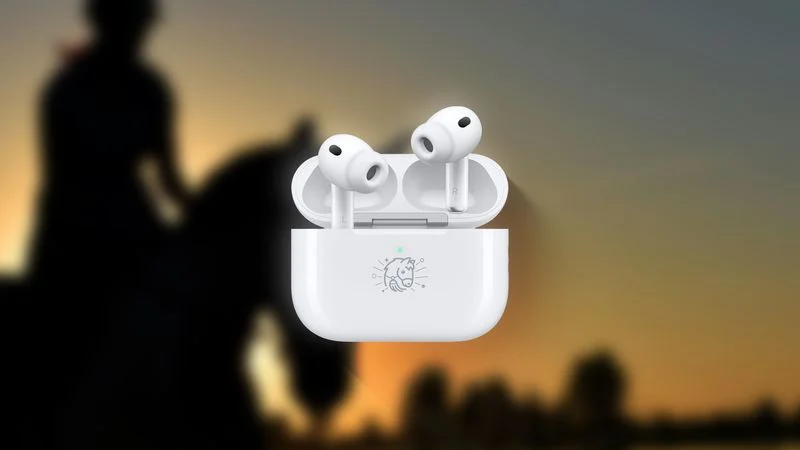
Apple has designed a limited edition version of the AirPods Pro 3 to celebrate Lunar New Year, and customers in select countries can purchase them starting today. The Year of the Horse Special Edition ‌AirPods Pro 3‌ feature a unique horse emoji character that's otherwise unavailable.


Customers in China, Hong Kong, Taiwan, Malaysia, and Singapore are able to buy the AirPods, and they'll be available as long as supplies last. Lunar New Year begins on Tuesday, February 17 in 2026.


Apple designs special edition AirPods with a custom engraving each year. There have been limited edition AirPods to celebrate the Year of the Dragon, Year of the Ox, Year of the Tiger, Year of the Rabbit, and Year of the Snake.


The special edition ‌AirPods Pro 3‌ are identical to the standard ‌AirPods Pro 3‌ and the pricing is the same. The only thing that's different is the engraving. Apple released the ‌AirPods Pro 3‌ in 2025, introducing improved sound, better Active Noise Cancellation, an updated fit, and heart rate sensing. Orders placed today will begin shipping out to customers on January 8.


Along with special edition ‌AirPods Pro 3‌, Apple is also selling a selection of Year of the Horse-themed accessories, such as iPhone cases, power banks, AirTag covers, organizers, and travel chargers.


Source: Macrumors

Windows
Mac OS
iOS
Linux
3uTools
Win 64-bit For this device
V9.01 2025-12-27
Download
Win 32-bit For this device
V9.01 2025-12-27
Download
3uTools
Intel Chip How to Identify Chip Type
V9.01 2025-12-31
Download
Apple Silicon
V9.01 2025-12-31
Download
How to Identify Chip Type
1.  Click the Apple icon in the top-left corner of the screen and select About This Mac.
2.  Check the Processor or Chip field to determine if it is "Intel" or "Apple".
Please use the 3uTools PC client to install the iOS client:
1、 Install either the Windows or Mac version of 3uTools on your computer
2、 Open the PC client and connect your device to the computer via USB cable
3、 After the connection is successful, wait for the computer to automatically install the mobile app for the device, or locate “Install Mobile App” on the computer and manually click to install.
3uTools
deb file
V3.01 2025-11-20
Download
rpm file
V3.01 2025-11-20
Download
Windows
Windows
iOS
iOS
Android
Android
TV
TV
3uAirPlayer
Win 64-bit For this device
V6.0.2 2025-11-19
Download
Win 32-bit For this device
V6.0.2 2025-11-19
Download
iOS Device Mirroring (No App Required)
1、 Install 3uAirPlayer on the Windows PC
2、 Open Control Center and select Screen Mirroring
3、 From the list, choose your PC to start mirroring
4、 Or connect your iOS device to the PC via USB to begin mirroring
Scan to get "3uAirPlayer" App
3uAirPlayer TV V1.0.18
2025-11-28
TV System Requirements: Android 7.0 or later
Download the TV installation package, copy it to a USB drive, insert it into your TV or set-top box, then select the file from the home screen to install.