NEWS

Apple Aims to Boost Popularity of iPhone Air 2 in Two Ways

12/17/2025

32

Apple Aims to Boost Popularity of iPhone Air 2 in Two Ways


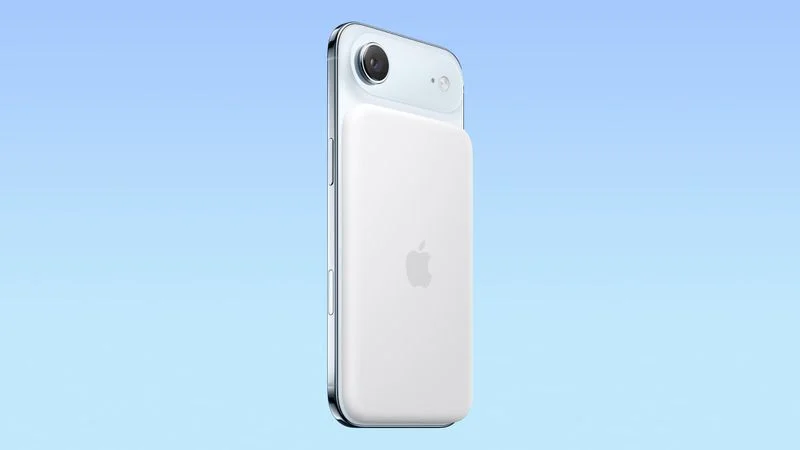
We have been covering iPhone 18 Pro, iPhone 17e, and iPhone Fold details from The Information's report about future iPhone models, and next up is the iPhone Air 2.


The report says that Apple aims to make the iPhone Air 2 more attractive in two ways.


First, Apple is apparently considering adding a second rear camera to the device, which would resolve a key limitation. The current iPhone Air has a single 48-megapixel Fusion rear camera, with Telephoto-like, optical-quality 2× zoom, so the additional camera on the second-generation model would likely be an Ultra Wide lens.


Second, the report said Apple is considering lower pricing for the iPhone Air 2. In the U.S., the current iPhone Air starts at $999, despite having only a single rear camera, a single speaker, shorter battery life, and a few other minor limitations.


While it has a bold, ultra-thin design, the iPhone Air has seemingly been unpopular relative to the iPhone 17 and iPhone 17 Pro models, and Apple's suppliers are reportedly significantly scaling back production of the device as a result.


Apple is expected to release the iPhone Air 2 in spring 2027.


Source: Macrumors

Windows
Mac OS
iOS
Linux
3uTools
Win 64-bit For this device
V9.0 2025-11-11
Download
Win 32-bit For this device
V9.0 2025-11-11
Download
3uTools
Intel Chip How to Identify Chip Type
V9.0 2025-12-02
Download
Apple Silicon
V9.0 2025-12-02
Download
How to Identify Chip Type
1.  Click the Apple icon in the top-left corner of the screen and select About This Mac.
2.  Check the Processor or Chip field to determine if it is "Intel" or "Apple".
Please use the 3uTools PC client to install the iOS client:
1、 Install either the Windows or Mac version of 3uTools on your computer
2、 Open the PC client and connect your device to the computer via USB cable
3、 After the connection is successful, wait for the computer to automatically install the mobile app for the device, or locate “Install Mobile App” on the computer and manually click to install.
3uTools
deb file
V3.01 2025-11-20
Download
rpm file
V3.01 2025-11-20
Download
Windows
Windows
iOS
iOS
Android
Android
TV
TV
3uAirPlayer
Win 64-bit For this device
V6.0.2 2025-11-19
Download
Win 32-bit For this device
V6.0.2 2025-11-19
Download
iOS Device Mirroring (No App Required)
1、 Install 3uAirPlayer on the Windows PC
2、 Open Control Center and select Screen Mirroring
3、 From the list, choose your PC to start mirroring
4、 Or connect your iOS device to the PC via USB to begin mirroring
Scan to get "3uAirPlayer" App
3uAirPlayer TV V1.0.18
2025-11-28
TV System Requirements: Android 7.0 or later
Download the TV installation package, copy it to a USB drive, insert it into your TV or set-top box, then select the file from the home screen to install.