 NEWS
NEWS
This iPhone 8 Concept Running iOS 11 Is The Stuff Dreams Are Made Of
 02/09/2017
 3699
3699
There’s plenty of attention focused on Samsung’s upcoming Galaxy S8 at the moment, with rumors coming in hot and heavy now that we’re a little over a month away from seeing the device unveiled. Later this year, attention will turn to other exciting new flagship phones like the next-generation Moto Z, OnePlus 4, Galaxy Note 7 and Google Pixel 2. As much as people will be looking forward to all of those handsets though, there’s still only one smartphone brand that can stir up as much hype as Apple — especially since the iPhone 8 is shaping up to be the most exciting new iPhone in years.
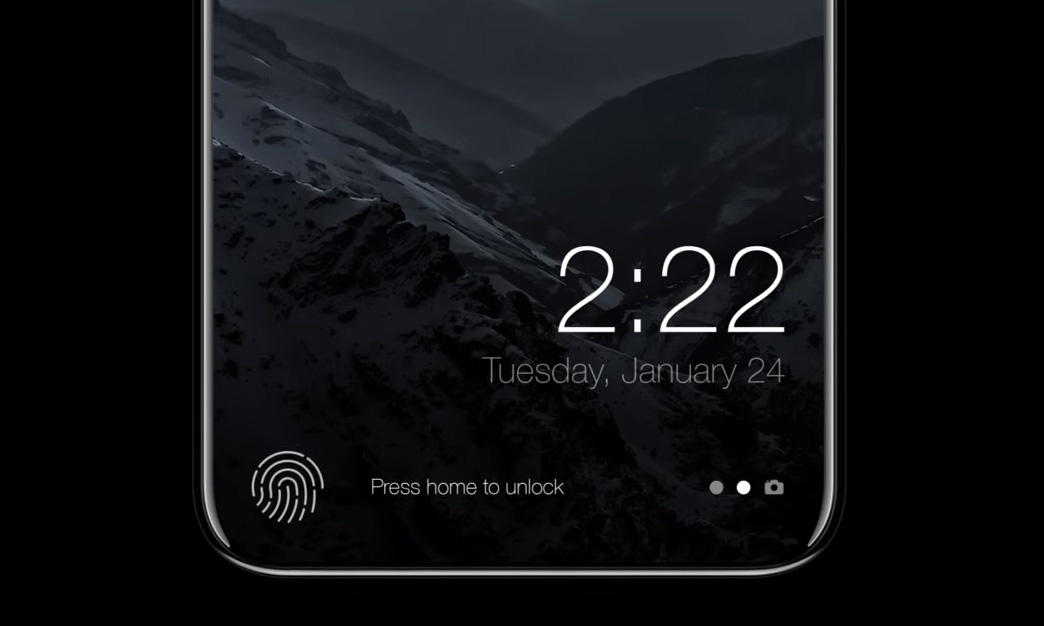
We’ve seen plenty of rumors and a handful of insiders with good track records have also shared some early details, but we have yet to see any components leak since it’s still early and Apple’s new iPhones aren’t due to launch until September. While we wait for the next phase in the Apple leak cycle, however, graphic designers have imagined some truly beautiful iPhone 8 concepts.
Graphic designer Moe Slah whipped up one of the sleekest and most impressive iPhone 8 visualizations we’ve seen so far. It’s based on many of the rumored features that have been tossed around, featuring things like an all-screen design and a new Touch ID scanner that is embedded in the display itself. The designer also imagined what iOS 11 might be like on the new handset, and the results are stunning.
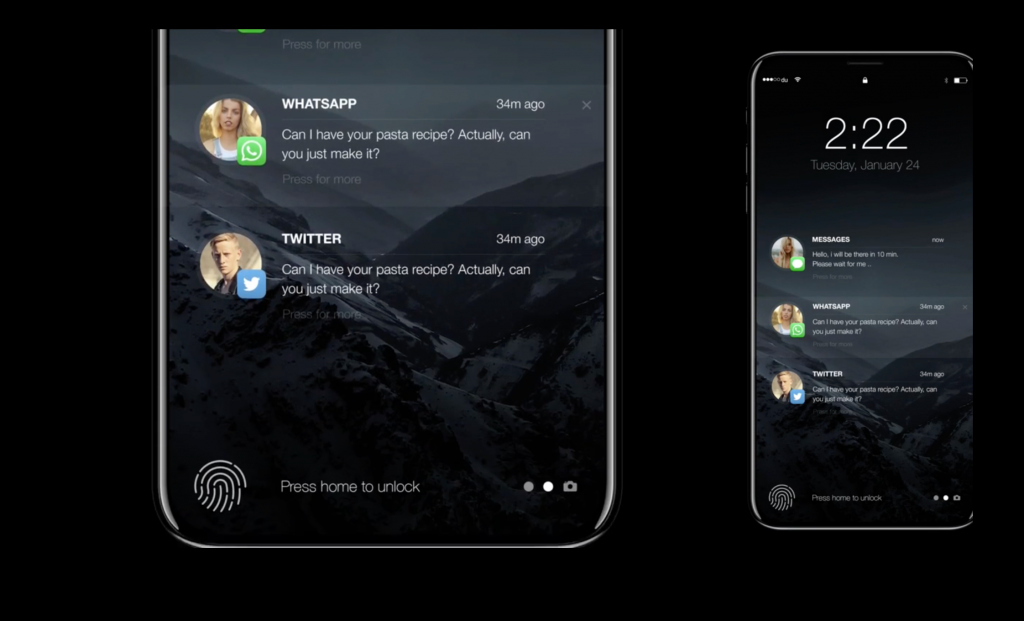
Slah’s mockups imagine how Apple might handle the removal of the physical home button, which is looking more and more like a sure thing each day. With the fingerprint scanner embedded beneath the display, Apple will be able to remove the thick bezel beneath the screen on all of its current iPhone models. Of course, the phone will need a way to indicate where the user must place his or her finger for a scan, and Slah’s solution is an elegant one.
There are plenty of other nifty iOS 11 features imagined in the video, which you’ll find embedded below.
Source: bgr










