
NEWS

Tim Cook talks Steve Jobs, immigration executive order at University of Glasgow

02/09/2017

3434

Apple CEO Tim Cook today received an honorary degree from the University of Glasgow, in the UK. The ceremony was then followed by a brief interview where Cook described the institution as ‘one of the finest universities in the world’. He also condemned the Donald Trump immigration order, saying that ‘if we stand and say nothing, we become a part of it’.
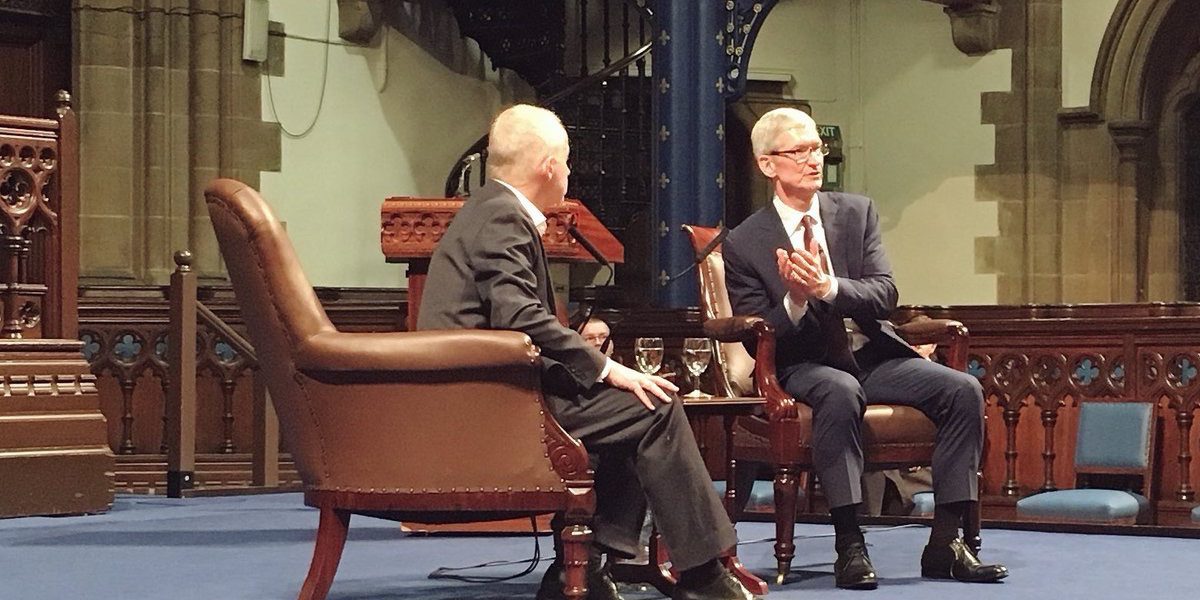

Tim Cook talks Steve Jobs, immigration executive order at University of Glasgow

In the fireside chat, Cook said that aspiring graduates should not work with the aim of making money: ‘it will wear out fast, or never be enough’. Cook also said that there is a big difference between loving the work and doing the work, as advice he would give to his younger self.


Regarding the Trump order blanket-banning immigration from seven Muslim countries, Cook said that Apple thrives on diversity and that doing nothing was not an option. Cook plainly said: ‘I do not support the immigration ban’.


In the Q&A, one student asked Cook if he could have a job. Cook directed the person to the company jobs site. Regarding activism, Cook said he does not view Apple as an ‘activist’ per se. He says Apple makes its voice heard in areas where they have deep knowledge or a strong point view based on things Apple learned, not a general purpose professional activist.


Cook also repeated his comments about the importance of coding as a skill, saying it should be required in schools. He also said that Steve Jobs was the person that influenced him the most in life ‘by far’.


Source: 9to5mac

Windows
Mac OS
iOS
Linux
3uTools
Win 64-bit For this device
V9.0 2025-11-11
Download
Win 32-bit For this device
V9.0 2025-11-11
Download
3uTools
Intel Chip How to Identify Chip Type
V9.0 2025-12-02
Download
Apple Chip
V9.0 2025-12-02
Download
How to Identify Chip Type
1.  Click the Apple icon in the top-left corner of the screen and select About This Mac.
2.  Check the Processor or Chip field to determine if it is "Intel" or "Apple".
Please use the 3uTools PC client to install the iOS client:
1、 Install either the Windows or Mac version of 3uTools on your computer
2、 Open the PC client and connect your device to the computer via USB cable
3、 After the connection is successful, wait for the computer to automatically install the mobile app for the device, or locate “Install Mobile App” on the computer and manually click to install.
3uTools
deb file
V3.01 2025-11-20
Download
rpm file
V3.01 2025-11-20
Download
Windows
Windows
iOS
iOS
Android
Android
TV
TV
3uAirPlayer
Win 64-bit For this device
V6.0.2 2025-11-19
Download
Win 32-bit For this device
V6.0.2 2025-11-19
Download
iOS Device Mirroring (No App Required)
1、 Install 3uAirPlayer on the Windows PC
2、 Open Control Center and select Screen Mirroring
3、 From the list, choose your PC to start mirroring
4、 Or connect your iOS device to the PC via USB to begin mirroring
Scan to get "3uAirPlayer" App
3uAirPlayer TV V1.0.18
2025-11-28
TV System Requirements: Android 7.0 or later
Download the TV installation package, copy it to a USB drive, insert it into your TV or set-top box, then select the file from the home screen to install.




