
NEWS

Siri Might Be The Only Friend You Need This Super Bowl Sunday

02/05/2017

3631

With the Super Bowl just days away it seems football fans aren’t the only ones gearing up for the big game. Siri has, it seems, been studying up on stats, schedules, and even Vegas lines in advance of Super Bowl Sunday.
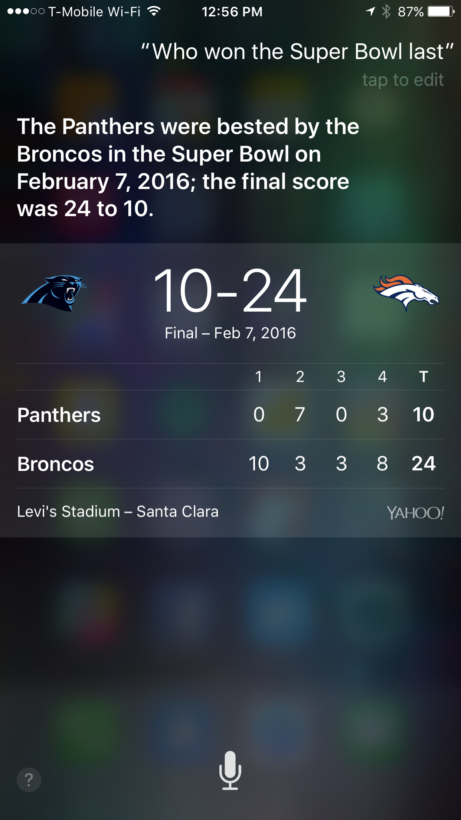

Siri Might Be The Only Friend You Need This Super Bowl Sunday


For AppleTV users, it starts with tuning in. Siri can now turn on the game with just a voice command: “Watch the Super Bowl.” Well, assuming you don’t want to watch it in VR anyway.
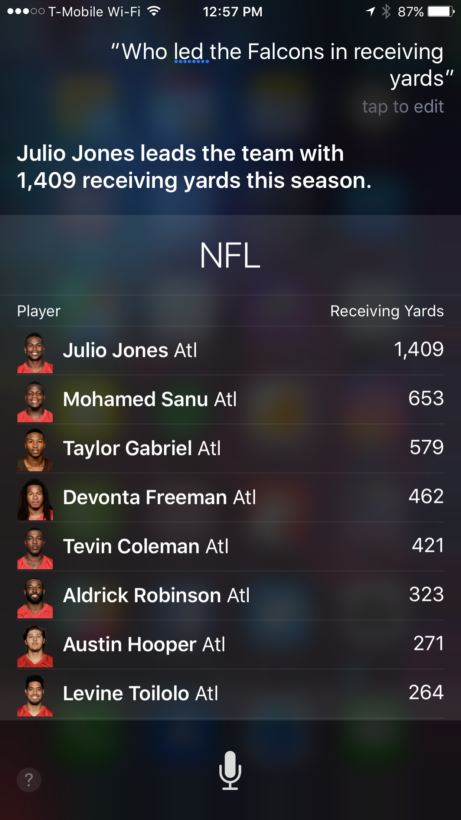

Siri Might Be The Only Friend You Need This Super Bowl Sunday


Mobile users have a new sport-savvy assistant at their disposal too. It’s like your stat head friend, but less annoying. From simple queries to the more complex, stat-driven questions that only your know-it-all buddy seems to have answers to, Siri has your back.


Source: thenextweb

Windows
Mac OS
iOS
Linux
3uTools
Win 64-bit For this device
V9.0 2025-11-11
Download
Win 32-bit For this device
V9.0 2025-11-11
Download
3uTools
Intel Chip How to Identify Chip Type
V9.0 2025-12-02
Download
Apple Chip
V9.0 2025-12-02
Download
How to Identify Chip Type
1.  Click the Apple icon in the top-left corner of the screen and select About This Mac.
2.  Check the Processor or Chip field to determine if it is "Intel" or "Apple".
Please use the 3uTools PC client to install the iOS client:
1、 Install either the Windows or Mac version of 3uTools on your computer
2、 Open the PC client and connect your device to the computer via USB cable
3、 After the connection is successful, wait for the computer to automatically install the mobile app for the device, or locate “Install Mobile App” on the computer and manually click to install.
3uTools
deb file
V3.01 2025-11-20
Download
rpm file
V3.01 2025-11-20
Download
Windows
Windows
iOS
iOS
Android
Android
TV
TV
3uAirPlayer
Win 64-bit For this device
V6.0.2 2025-11-19
Download
Win 32-bit For this device
V6.0.2 2025-11-19
Download
iOS Device Mirroring (No App Required)
1、 Install 3uAirPlayer on the Windows PC
2、 Open Control Center and select Screen Mirroring
3、 From the list, choose your PC to start mirroring
4、 Or connect your iOS device to the PC via USB to begin mirroring
Scan to get "3uAirPlayer" App
3uAirPlayer TV V1.0.18
2025-11-28
TV System Requirements: Android 7.0 or later
Download the TV installation package, copy it to a USB drive, insert it into your TV or set-top box, then select the file from the home screen to install.




