
NEWS

Apple to Release iPad Pro Smart Keyboard With Trackpad in 2020

02/28/2020

3014

Apple is working on an iPad keyboard that includes a built-in trackpad, reports The Information, citing sources with knowledge of Apple's plans. 
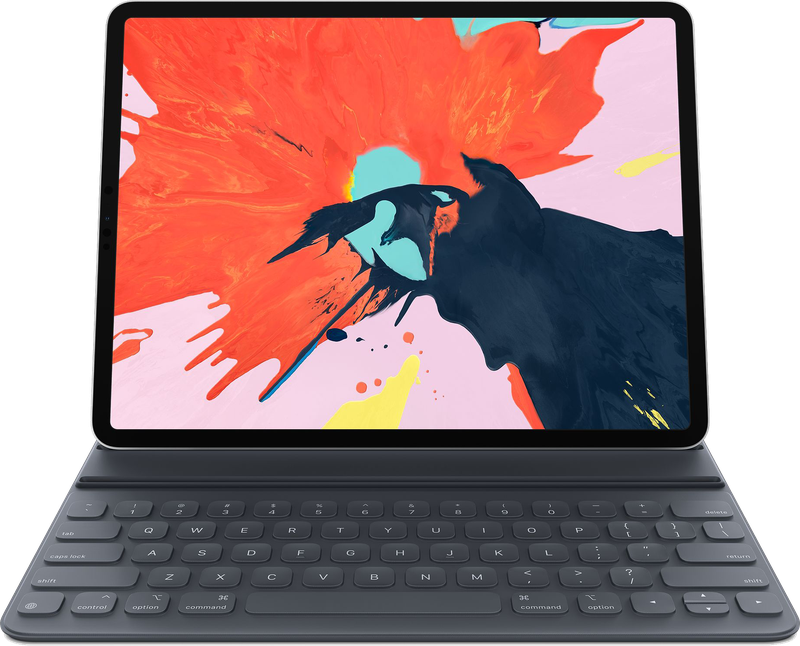
Apple to Release iPad Pro Smart Keyboard With Trackpad in 2020
Apple has reportedly been experimenting with trackpads for the ‌iPad‌ for a "number of years." Some of the prototypes have featured capacitive keys, though it is not known if this feature is in the finished product. The Information's source says that the keyboard will be made from materials similar to those in Apple's current Smart Keyboard Folio designed for the iPad Pro. 

Apple is preparing the keyboard for mass production at the current time, and is expected to release the new accessory alongside the next version of the ‌iPad Pro‌. Current rumors suggest the ‌iPad Pro‌ could be refreshed as soon as March, and Apple is expected to hold a March event (perhaps on March 31) to announce new devices. 

If Apple does indeed unveil a new ‌iPad Pro‌ in March, we could see the rumored keyboard released at the same time. Up until now, all of Apple's Smart Keyboards designed for use with iPads have only featured standard keyboard keys. A version with a trackpad would need to be significantly overhauled to make space for the trackpad design. 

Back in January, Taiwanese site DigiTimes said that Apple is working on a ‌Smart Keyboard‌ with backlit keys and scissor switches, so it's possible that the upcoming ‌Smart Keyboard‌ with trackpad will also have these features.


Source: Macrumors

Windows
Mac OS
iOS
Linux
3uTools
Win 64-bit For this device
V9.0 2025-11-11
Download
Win 32-bit For this device
V9.0 2025-11-11
Download
3uTools
Intel Chip How to Identify Chip Type
V9.0 2025-12-02
Download
Apple Silicon
V9.0 2025-12-02
Download
How to Identify Chip Type
1.  Click the Apple icon in the top-left corner of the screen and select About This Mac.
2.  Check the Processor or Chip field to determine if it is "Intel" or "Apple".
Please use the 3uTools PC client to install the iOS client:
1、 Install either the Windows or Mac version of 3uTools on your computer
2、 Open the PC client and connect your device to the computer via USB cable
3、 After the connection is successful, wait for the computer to automatically install the mobile app for the device, or locate “Install Mobile App” on the computer and manually click to install.
3uTools
deb file
V3.01 2025-11-20
Download
rpm file
V3.01 2025-11-20
Download
Windows
Windows
iOS
iOS
Android
Android
TV
TV
3uAirPlayer
Win 64-bit For this device
V6.0.2 2025-11-19
Download
Win 32-bit For this device
V6.0.2 2025-11-19
Download
iOS Device Mirroring (No App Required)
1、 Install 3uAirPlayer on the Windows PC
2、 Open Control Center and select Screen Mirroring
3、 From the list, choose your PC to start mirroring
4、 Or connect your iOS device to the PC via USB to begin mirroring
Scan to get "3uAirPlayer" App
3uAirPlayer TV V1.0.18
2025-11-28
TV System Requirements: Android 7.0 or later
Download the TV installation package, copy it to a USB drive, insert it into your TV or set-top box, then select the file from the home screen to install.




