 NEWS
NEWS
Apple Releases iOS 12.4, watchOS 5.3, macOS 10.14.6
 07/23/2019
 2801
2801
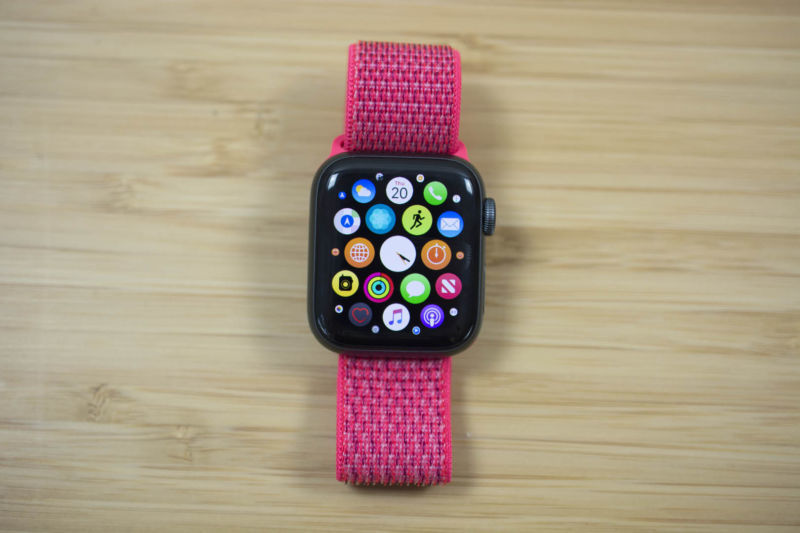
As it often does, Apple has released updates for all of its device operating systems at once. iOS 12.4, watchOS 5.3, macOS 10.14.6, and tvOS 12.4 all arrive on supporting devices today.
iOS 12.4's tentpole feature is the ability to directly and wirelessly transfer all your data from one iPhone to another when setting the latter up. Onlookers are also speculating that it includes yet-to-be-activated support for the Apple Card credit card. This Goldman Sachs-driven consumer credit card will have a number of smart features and iPhone tie-ins, and, per Apple's announcement earlier this year, is due to launch by the end of the summer.
There are also some quality-of-life and UX improvements for Apple News+. These are Apple's iOS 12.4 release notes:
iOS 12.4 introduces iPhone migration to directly transfer data from an old iPhone to a new iPhone, includes enhancements to Apple News+ and improves the security of your iPhone or iPad. This update:
iPhone migration
Introduces the ability to wirelessly transfer data and migrate directly from an old iPhone to a new iPhone during setup
Apple News
Makes downloaded issues accessible in the My Magazines section, both online and offline
Adds all publications in Apple News+, including newspapers, to the catalog at the top of the News+ feed
Adds the ability to clear downloaded magazine issues by selecting History > Clear > Clear All
Other improvements and fixes
Includes a security fix for the Walkie-Talkie app on Apple Watch and re-enables Walkie-Talkie functionality
This release also includes support for HomePod in Japan and Taiwan.
That last item is more relevant for watchOS 5.3, which also landed today. A couple of weeks ago, an eavesdropping vulnerability prompted Apple to disable the Walkie-Talkie app on Apple Watch units that supported it. Apple claimed to not be aware of any instance of anyone actually exploiting the vulnerability before disabling the feature but promised it would be re-enabled when a fix was ready.
The company says that the fix is included in watchOS 5.3, and today's updates re-enable the feature. Additionally, the ECG app and irregular heart-rhythm notifications are now available in Canada and Singapore.
This update includes new features, improvements, and bug fixes and is recommended for all users:
Provides important security updates including a fix for the Walkie-Talkie app
ECG app on Apple Watch Series 4 now available in Canada and Singapore
Irregular heart-rhythm notifications now available in Canada and Singapore
As for the Mac, the emphasis is on some of the same Apple News+ improvements seen above in iOS 12.4. The macOS Mojave 10.14.6 update improves the stability and reliability of your Mac and is recommended for all users. It also includes a number of bug fixes, including one that precluded creating Boot Camp partitions on Fusion Drive Macs and a couple of graphics bugs.
Here are the full macOS 10.14.6 update notes from Apple:
This update:
Makes downloaded issues available in the My Magazines section of Apple News+, both online and offline
Adds all publications in Apple News+, including newspapers, to the catalog at the top of the News+ feed
Adds the ability to clear downloaded magazine issues in Apple News+ by selecting History > Clear > Clear All
Addresses an issue which prevents creation of a new Boot Camp partition on iMac and Mac mini with Fusion Drive
Resolves an issue that may cause a hang during a restart
Resolves a graphics issue that may occur when waking from sleep
Fixes an issue that may cause fullscreen video to appear black on Mac mini
Improves file sharing reliability over SMB
Enterprise content:
Addresses an issue where file sharing connections would potentially drop.
Improves compatibility of Xsan clients when accessing volumes that use 1K or larger LUN sector sizes.
Finally, Apple updated tvOS for recent Apple TV models to 12.4 and the Apple TV Software for eligible older Apple TV models to 7.3.1, though it is unclear what has changed in those releases other than minor bug fixes. Apple is expected to launch much more significant new updates to all of the above-operating systems this fall.
Source: arstechnica









