NEWS

Apple Adding iPad 2 to Vintage and Obsolete Products List on April 30

04/16/2019

3403

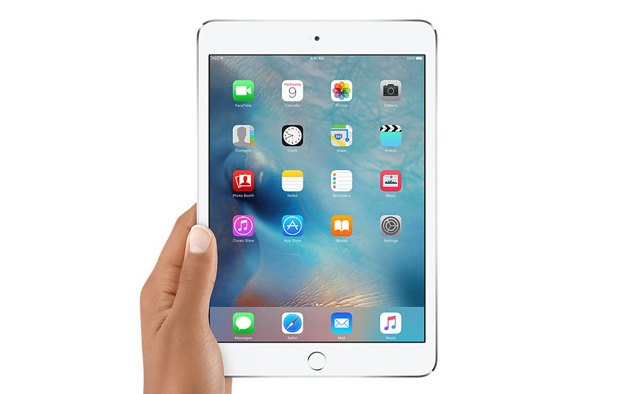
Apple will be adding all iPad 2 models to its vintage and obsolete products list on April 30, according to an internal memo obtained by MacRumors. 

Apple Adding iPad 2 to Vintage and Obsolete Products List on April 30


Apple defines vintage products as those that were last manufactured more than five years ago. The iPad 2, originally released in March 2011, lived on as a lower-cost option until March 2014, complete with a 9.7-inch display with just 132 PPI, an A5 chip, and a whopping 0.7-megapixel rear camera. 


What this means is that the iPad 2 will no longer be eligible for service at the Genius Bar or Apple Authorized Service Providers as of the end of the month. It's pretty impressive that this is just happening now, considering that the iPad 2 is over eight years old. It even has a 30-pin dock connector still. 


The only exceptions will be in California and Turkey, where due to local laws, Apple will continue to service the iPad 2 until March 2021. At the time, the iPad 2 will finally go from "vintage" to "obsolete" worldwide.


Source: macrumors

Windows
Mac OS
iOS
Linux
3uTools
Win 64-bit For this device
V9.0 2025-11-11
Download
Win 32-bit For this device
V9.0 2025-11-11
Download
3uTools
Intel Chip How to Identify Chip Type
V9.0 2025-12-02
Download
Apple Silicon
V9.0 2025-12-02
Download
How to Identify Chip Type
1.  Click the Apple icon in the top-left corner of the screen and select About This Mac.
2.  Check the Processor or Chip field to determine if it is "Intel" or "Apple".
Please use the 3uTools PC client to install the iOS client:
1、 Install either the Windows or Mac version of 3uTools on your computer
2、 Open the PC client and connect your device to the computer via USB cable
3、 After the connection is successful, wait for the computer to automatically install the mobile app for the device, or locate “Install Mobile App” on the computer and manually click to install.
3uTools
deb file
V3.01 2025-11-20
Download
rpm file
V3.01 2025-11-20
Download
Windows
Windows
iOS
iOS
Android
Android
TV
TV
3uAirPlayer
Win 64-bit For this device
V6.0.2 2025-11-19
Download
Win 32-bit For this device
V6.0.2 2025-11-19
Download
iOS Device Mirroring (No App Required)
1、 Install 3uAirPlayer on the Windows PC
2、 Open Control Center and select Screen Mirroring
3、 From the list, choose your PC to start mirroring
4、 Or connect your iOS device to the PC via USB to begin mirroring
Scan to get "3uAirPlayer" App
3uAirPlayer TV V1.0.18
2025-11-28
TV System Requirements: Android 7.0 or later
Download the TV installation package, copy it to a USB drive, insert it into your TV or set-top box, then select the file from the home screen to install.