
NEWS

Online Apple Store Down ahead of Rumored iPad & iMac Updates

03/19/2019

2893

The online Apple Store periodically goes down for maintenance or to roll out new hardware, but the latter is a distinct possibility given that new hardware is expected, and the March 25 "its show time" event is expected to be focused on other matters.
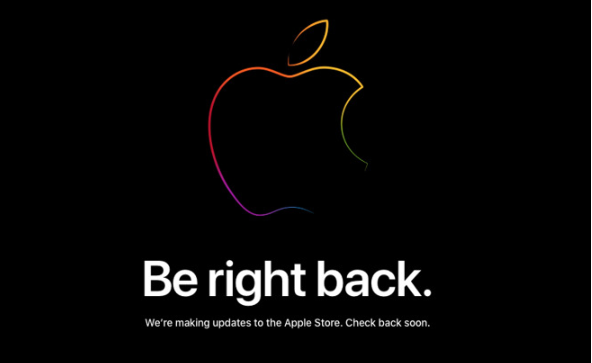

Online Apple Store Down ahead of Rumored iPad & iMac Updates


Apple has temporarily taken its online Store down. Visitors to it currently see a "Be Right Back" notice and an explanation that the company is working on it. "We're adding updates to the Apple Store," it says. "Check back soon."


While Apple always does this before a hardware announcement, this time it's different because we're one week away from the company's next big launch event. 


Previously these events have always included new hardware but persistent rumors have predicted that this March 25 one will be devoted exclusively to the updated Apple News service and the new Apple streaming video one. This week-early closure of the store would seem to back that up.


It's not known what new hardware may be unveiled when the Store reopens but it's expected that we'll see new models. We may also see the long-awaited launch of the AirPower charging pad and conceivably even iMacs.


Source: appleinsider

Windows
Mac OS
iOS
Linux
3uTools
Win 64-bit For this device
V9.0 2025-11-11
Download
Win 32-bit For this device
V9.0 2025-11-11
Download
3uTools
Intel Chip How to Identify Chip Type
V9.0 2025-12-02
Download
Apple Silicon
V9.0 2025-12-02
Download
How to Identify Chip Type
1.  Click the Apple icon in the top-left corner of the screen and select About This Mac.
2.  Check the Processor or Chip field to determine if it is "Intel" or "Apple".
Please use the 3uTools PC client to install the iOS client:
1、 Install either the Windows or Mac version of 3uTools on your computer
2、 Open the PC client and connect your device to the computer via USB cable
3、 After the connection is successful, wait for the computer to automatically install the mobile app for the device, or locate “Install Mobile App” on the computer and manually click to install.
3uTools
deb file
V3.01 2025-11-20
Download
rpm file
V3.01 2025-11-20
Download
Windows
Windows
iOS
iOS
Android
Android
TV
TV
3uAirPlayer
Win 64-bit For this device
V6.0.2 2025-11-19
Download
Win 32-bit For this device
V6.0.2 2025-11-19
Download
iOS Device Mirroring (No App Required)
1、 Install 3uAirPlayer on the Windows PC
2、 Open Control Center and select Screen Mirroring
3、 From the list, choose your PC to start mirroring
4、 Or connect your iOS device to the PC via USB to begin mirroring
Scan to get "3uAirPlayer" App
3uAirPlayer TV V1.0.18
2025-11-28
TV System Requirements: Android 7.0 or later
Download the TV installation package, copy it to a USB drive, insert it into your TV or set-top box, then select the file from the home screen to install.




