 NEWS
NEWS
Apple Patent Hints at AR Headset That'll Work With Your iPhone
 03/01/2019
 3503
3503
The wide-ranging patent application for augmented reality tech hints at a possible headset from the iPhone maker.
That's the message behind a 292 page patent application the tech giant filed in August last year, detailing "an augmented reality environment," including using the technology on an iPhone, and potentially a headset as well.
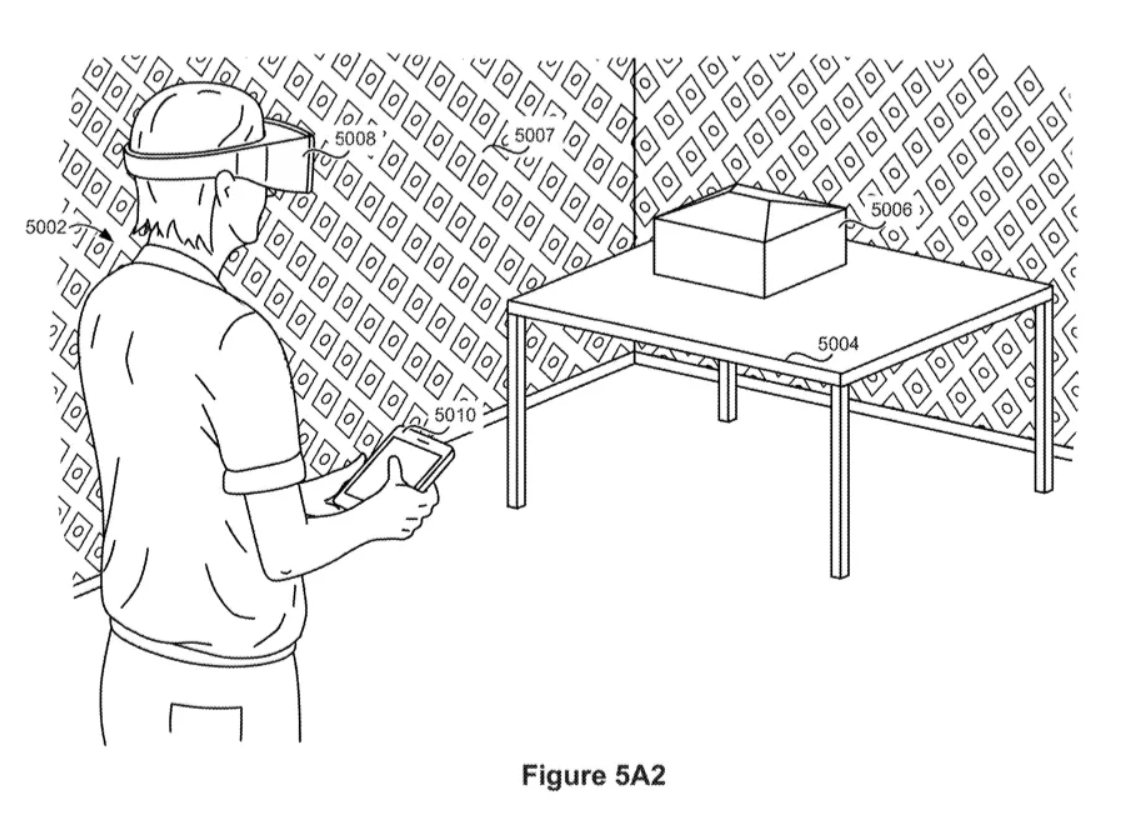
Perhaps the most interesting aspect of the patent, which was published Thursday under patent number US 2019/0065027, is that Apple appears to be exploring ways of using an augmented reality headset alongside an iPhone. In the patent, Apple describes people using a headset to view "an augmented reality environment," in which computer images are overlaid on the real world. And then they'd use a "touch-sensitive surface" as a way to interact with that environment.
The patent, first discovered by the website Patently Apple, is the clearest sign yet that the iPhone maker is exploring building an AR headset, sources told the company is hoping to release in roughly the next year. Apple didn't immediately respond to a request for comment.
Apple isn't the only company working on these devices. Microsoft last Sunday announced its $3,500 HoloLens 2 headset, a device the company hopes will be widely used by businesses to help employees who need to regularly refer to schematics or X-rays or other information where a typical screen, mouse and keyboard don't work as well.
"The goal is these things will transform humans," HoloLens leader Alex Kipman said in an interview at Microsoft's Redmond, Washington, headquarters. "They'll empower people and organizations to do things they plainly were not able to do before."
There's also Magic Leap, which released its $2,295 headset for developers last August, with a consumer version promised in the not-too-distant future. The Magic Leap gadget is different from Microsoft's HoloLens, which is self-contained and tracks your hands, eyes and voice to help you interact with its AR world. Instead, Magic Leap's gizmo is made up of a headset, called Lightwear, that's connected by a wire to a wearable computer, called a Lightpack. You can interact with Magic Leap using a handheld remote called Control.
Apple appears to be following Magic Leap's approach. The patent suggests a headset would wirelessly communicate with a separate computer and the iPhone.
Source: cnet









