 NEWS
NEWS
Apple Offers Rare Look Inside Mesa, Arizona Data Center
 08/16/2018
 3854
3854
Apple doesn't often allow people to visit its data centers, which are located across the country, but The Arizona Republic was recently given a tour of Apple's Mesa Arizona data center, formerly the site of GT Advanced.
The Mesa Arizona facility spans 1.3 million square feet, with long, sparse hallways equipped with servers. Apple calls the Mesa site its "global data command" center, which employs a "handful" of employees working in 10-hour shifts to oversee Apple's operations data. 150 employees total are employed at the data center.
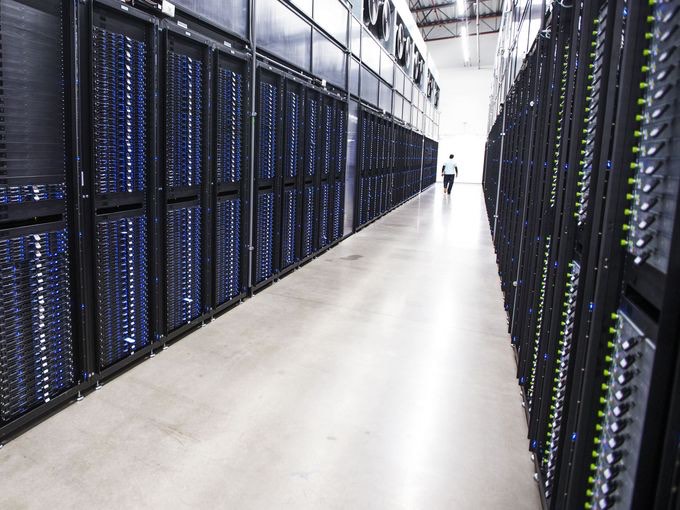
Servers in the Mesa, Arizona data center, via The Arizona Republic
The facility is not recognizable as Apple's from the outside, surrounded by thick, dark walls draped in vines. A guard patrols the entrance to the parking lot.
Server halls contain dozens and dozens of rows of large, humming electronics. Booming fans sit above the servers in an effort to cool the technology.
While The Arizona Republic was provided with a tour and was allowed to take photos inside the data center, Apple "would not share many specifics about what happens inside the facility" due to security concerns.

The Mesa data center, and others like it, house data from Apple apps and services that include iMessage, Siri, and iCloud.
Apple announced plans in 2014 to repurpose the Mesa, Arizona plant where GT Advanced worked to develop sapphire glass for Apple products before filing for bankruptcy. Hundreds of GT Advanced employees were laid off when the company failed, with Apple at the time pledging to bring more jobs to the city.
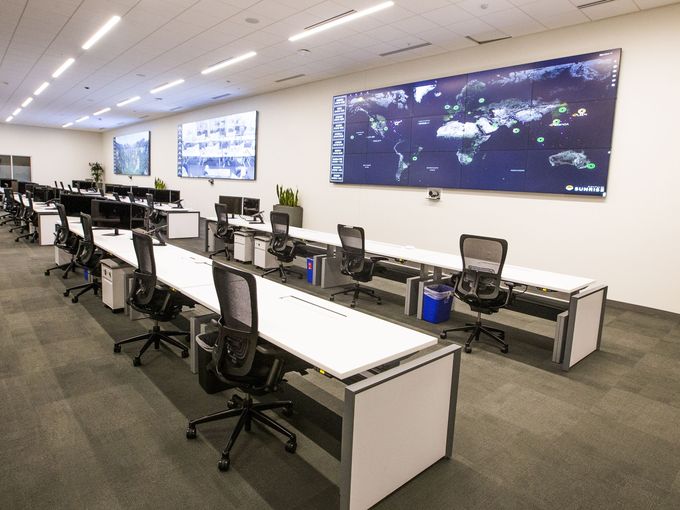
Not long after, Apple confirmed that it would transform the Mesa, Arizona plant into a "command center" for Apple's global data network. It has been operational since 2016, and Apple has been renovating and adding on since then. According to The Arizona Republic, the most recent addition, several new halls of servers, was completed in April.
The Arizona Republic's photos of the data center are worth checking out for anyone interested in Apple's data operations.
Source: macrumors










