 NEWS
NEWS
Angela Ahrendts Named One of World’s Most Powerful Women
 09/22/2017
 3882
3882
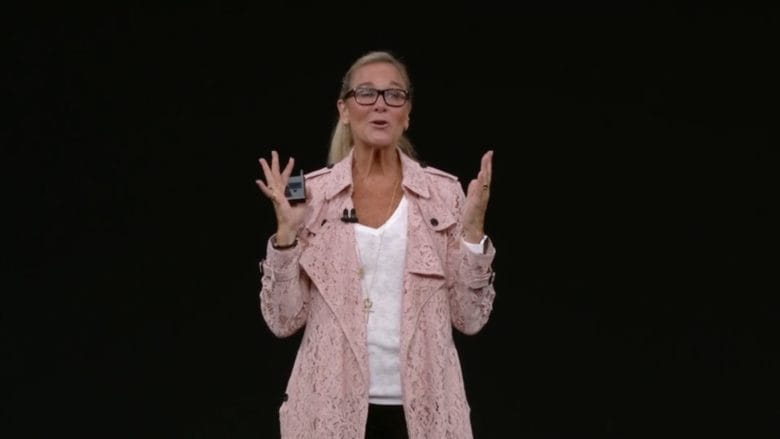
Apple’s boss of retail is finally getting some recognition for her large role at the world’s most powerful tech company.
In its latest rankings of the most powerful women in business, Fortune has placed Angela Ahrendts in the top 20 of influencers, raising her up one spot from last year and putting her ahead of executives at companies like Google, JP Morgan Chase, Microsoft, and Boeing.
Before joining Apple, Ahrednts was one of the most visible CEOs in the fashion world while leading Burberry. She hasn’t been in the spotlight much while at Apple, though she did make an appearance on stage at the iPhone X keynote to talk about Apple’s new retail strategy.
Fortune put Ahrendts in the number 13 spot, up from her position as number 14 on the list last year. Notable names in front of her on the list include HP CEO Meg Whitman, Facebook COO Sheryl Sandberg, and General Motors CEO Mary Barra who was ranked number 1.
Here’s what Fortune had had to say about Ahrendts’ tenure at Apple:
“Since being persuaded by Tim Cook to join Apple in 2014 (she previously led British fashion brand Burberry), Ahrendts has been heads down on the tech behemoth’s largest store redesign in 15 years. In May the company launched its long-awaited “Today at Apple” initiative, which seeks to supplement public education through free courses on everything from coding to music production to photography. Apple’s highest-ranking woman, she oversees 60,000 retail employees and is responsible for the in-store experiences of a more than a million daily customers. Research firm eMarketer estimates that the combined revenue from in-store and online sales is nearly $50 billion. Ahrendts was the second executive after Cook—and the only woman—to take the stage at September’s keynote, where she spoke at length about Apple’s “town squares”—the new moniker for its retail stores.
Source: cult of mac










