 NEWS
NEWS
Face ID Described As iPhone 8's 'Crown Jewel'
 08/23/2017
 3576
3576
The front-facing 3D sensor on Apple's upcoming iPhone 8 will be the device's "crown jewel," able to unlock the iPhone 8 in a "few hundred milliseconds" to give users quick access to their smartphone and quickly authenticate Apple Pay purchases.
The statement comes in a new report by Bloomberg, and follows on the heels of a recent article by The Korea Herald which used similar language to describe the unlocking process on the iPhone 8. As we near the device's launch, expected in September, so-called "Face ID" has risen to the forefront of iPhone 8 rumors and is largely believed to be replacing Touch ID entirely on Apple's majorly redesigned tenth anniversary smartphone.
Recent HomePod leaks have also been building up Face ID features over the past few weeks. The HomePod discoveries started off with mention of infrared sensors in the iPhone 8's front-facing camera notch, which will reportedly allow the device to scan the user's face in dark environments, and then led to a string of code that suggested the iPhone 8 will be able to scan faces at various odd angles, including when it's flat on a table.
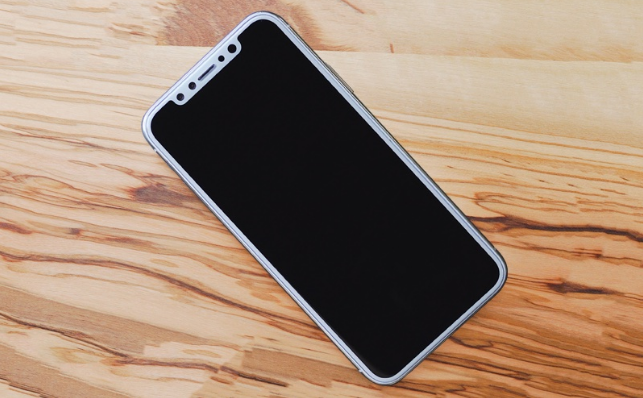
In the midst of the HomePod leaks, Mark Gurman tweeted that Apple's pitch for Face ID over Touch ID during its upcoming September keynote will be that "Face ID is quicker, more secure, and more accurate than Touch ID." Rumors that the iPhone 8 will omit Touch ID entirely began in early July in a report by Apple analyst Ming-Chi Kuo.
Bloomberg's original report mentioned an "improved" security system coming to iPhone 8, potentially with eye scanning to "augment the system," and the ability for the smartphone to be unlocked with an advanced 3D sensor within a few hundred milliseconds.
As more reports have built upon these original rumors -- including the general idea that Face ID will be more secure than Touch ID because it can capture more data points than a fingerprint scan -- users can expect that advanced facial recognition features will likely be one of the major talking points of Apple's iPhone 8 keynote next month.
Check out Bloomberg's full report here, including a few infographics about the new features coming to the iPhone 8 with a focus on Apple's "best, not first" philosophy.
Source: macrumors










