
NEWS

Apple Debuts Live Photos API, Allows for Playback on Most Popular Browsers

04/21/2017

3546

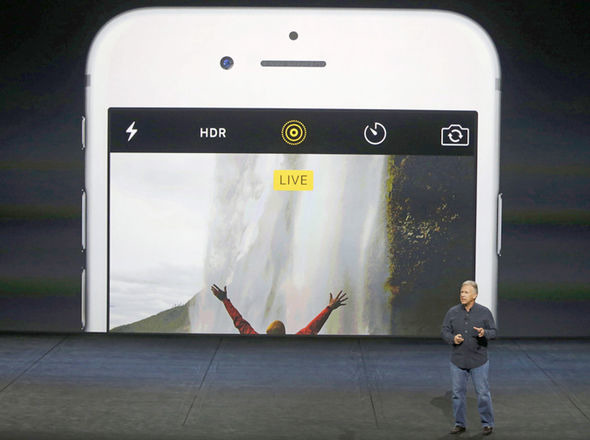
Apple has developed a JavaScript API for its Live Photos, allowing pictures taken with the iOS feature to be shared on the web.


The JavaScript API presents the player in a DOM element, which can be configured with photo and video resources. Playback is controlled either with a custom in-app interface or by provided UI elements.

Apple Debuts Live Photos API, Allows for Playback on Most Popular Browsers


Adoption is relatively simple, with web developers needing to embed LivePhotosKit JS in the webpage, and enable JavaScript strict mode. The Live Photo is passed to the browser as a single JPG and a MOV file.


The kit is compatible with Safari, Chrome, and Firefox on macOS. Windows users using Chrome, Firefox, Edge, and Internet Explorer 11 can view the embedded live photos as well.


Live Photos were introduced with the iPhone 6s, and works with iOS 9 and newer. Apple's introduction of iOS 9.1 refined the capture algorithm somewhat. 


A phone in Live Photo mode is essentially constant capturing images. When the shutter button is pressed, the camera saves the previous 1.5 seconds, and the follow-on 1.5 seconds. The iPhone then takes the series of photos and animates them into a mini-movie. The Live Photo is stored along with the original photo, but is compressed so it only takes between two and three times the size of one still.


Source: appleinsider


Windows
Mac OS
iOS
Linux
3uTools
Win 64-bit For this device
V9.0 2025-11-11
Download
Win 32-bit For this device
V9.0 2025-11-11
Download
3uTools
Intel Chip How to Identify Chip Type
V9.0 2025-12-02
Download
Apple Silicon
V9.0 2025-12-02
Download
How to Identify Chip Type
1.  Click the Apple icon in the top-left corner of the screen and select About This Mac.
2.  Check the Processor or Chip field to determine if it is "Intel" or "Apple".
Please use the 3uTools PC client to install the iOS client:
1、 Install either the Windows or Mac version of 3uTools on your computer
2、 Open the PC client and connect your device to the computer via USB cable
3、 After the connection is successful, wait for the computer to automatically install the mobile app for the device, or locate “Install Mobile App” on the computer and manually click to install.
3uTools
deb file
V3.01 2025-11-20
Download
rpm file
V3.01 2025-11-20
Download
Windows
Windows
iOS
iOS
Android
Android
TV
TV
3uAirPlayer
Win 64-bit For this device
V6.0.2 2025-11-19
Download
Win 32-bit For this device
V6.0.2 2025-11-19
Download
iOS Device Mirroring (No App Required)
1、 Install 3uAirPlayer on the Windows PC
2、 Open Control Center and select Screen Mirroring
3、 From the list, choose your PC to start mirroring
4、 Or connect your iOS device to the PC via USB to begin mirroring
Scan to get "3uAirPlayer" App
3uAirPlayer TV V1.0.18
2025-11-28
TV System Requirements: Android 7.0 or later
Download the TV installation package, copy it to a USB drive, insert it into your TV or set-top box, then select the file from the home screen to install.




