NEWS

'iPhone Ultra' Likely to 'Repeat the iPhone X Story'

07/06/2026

26

 'iPhone Ultra' Likely to 'Repeat the iPhone X Story'


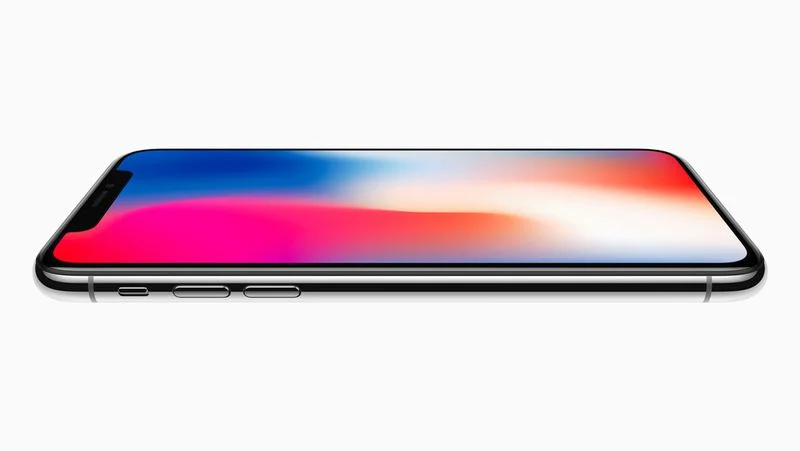
Apple will likely "repeat the iPhone X story" by unveiling its foldable iPhone at the same time as the iPhone 18 Pro and iPhone 18 Pro Max, but starting foldable iPhone pre-orders at a later date, according to analyst Ming-Chi Kuo.


Kuo today said manufacturing challenges have limited early production of the foldable iPhone, which will reportedly be named iPhone Ultra. As a result, he believes the device may launch at some point after the iPhone 18 Pro models.


In 2017, Apple unveiled the iPhone 8, iPhone 8 Plus, and iPhone X on September 12. iPhone 8 and iPhone 8 Plus pre-orders began just three days later, while iPhone X pre-orders began six weeks later on Friday, October 27. Likewise, Kuo believes the foldable iPhone may not be available to pre-order until the fourth quarter of 2026.


Kuo estimated that the foldable iPhone could have a starting price of around $2,299 to $2,499 in the U.S., and he believes that the device "could sell out immediately after pre-orders open, with delivery lead times quickly stretching to 4-6 weeks or longer."


Apple's suppliers will ship roughly 7–8 million foldable iPhones in 2026, compared to 20–22 million for the iPhone 18 Pro models combined, he said.


If this information proves to be accurate, expect the foldable iPhone to be unveiled in September, but you may not be able to order it until at least October.


Source: Macrumors

Windows
Mac OS
iOS
Linux
3uTools
Win 64-bit For this device
V9.06 2026-04-09
Download
Win 32-bit For this device
V9.06 2026-04-09
Download
3uTools
Intel Chip How to Identify Chip Type
V9.03 2026-03-27
Download
Apple Silicon
V9.03 2026-03-27
Download
How to Identify Chip Type
1.  Click the Apple icon in the top-left corner of the screen and select About This Mac.
2.  Check the Processor or Chip field to determine if it is "Intel" or "Apple".
Please use the 3uTools PC client to install the iOS client:
1、 Install either the Windows or Mac version of 3uTools on your computer
2、 Open the PC client and connect your device to the computer via USB cable
3、 After the connection is successful, wait for the computer to automatically install the mobile app for the device, or locate “Install Mobile App” on the computer and manually click to install.
3uTools
deb file
V9.01 2026-05-28
Download
rpm file
V9.01 2026-05-28
Download
Windows
Windows
iOS
iOS
Android
Android
TV
TV
3uAirPlayer
Win 64-bit For this device
V6.0.6 2026-06-26
Download
Win 32-bit For this device
V6.0.6 2026-06-26
Download
iOS Device Mirroring (No App Required)
1、 Install 3uAirPlayer on the Windows PC
2、 Open Control Center and select Screen Mirroring
3、 From the list, choose your PC to start mirroring
4、 Or connect your iOS device to the PC via USB to begin mirroring
Scan to get "3uAirPlayer" App
3uAirPlayerTV
 
TV System Requirements: Android 7.0 or later
Download the TV installation package, copy it to a USB drive, insert it into your TV or set-top box, then select the file from the home screen to install.