
NEWS

​Gates Solves Apple vs. Microsoft Debate on Reddit

03/03/2017

4314

Between Microsoft and Apple, who really copied whom when it came to the companies' original graphical interface?


Microsoft co-founder Bill Gates attempted to put an end to the debate on Monday, when he said neither. Instead, Gates said, both of those companies copied Xerox.
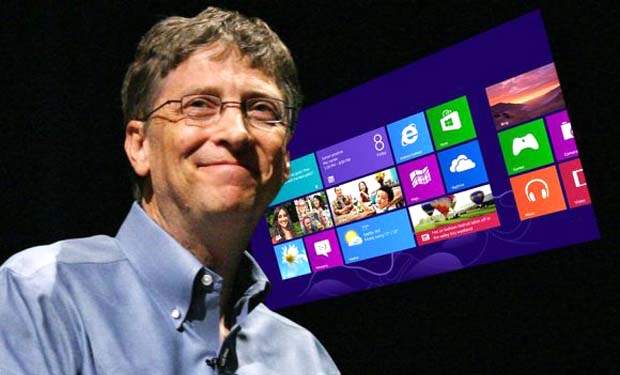

​Gates Solves Apple vs. Microsoft Debate on Reddit


"The main "copying" that went on relative to Steve [Jobs] and me is that we both benefited from the work that Xerox PARC did in creating graphical interface -- it wasn't just them but they did the best work," Gates said in a Reddit Ask Me Anything on Monday. "We didn't violate any IP rights Xerox had but their work showed the way that led to the Mac and Windows."


Gates is something of a celebrity Reddit user, regularly participating in the site's Secret Santa gift exchanges and AMAs. Since his first AMA in 2013, he's netted more than 71,000 comments.


Besides his views on Xerox being the graphical interface pioneer, Gates answered questions about some of his favorite TV shows ("Silicon Valley," "The Crown" and "Downtown Abbey") and how he wears a hat in public for disguise. The Microsoft co-founder also said that the next technological advancement he'd like to see in his lifetime is computers to become a bit more like humans.


"The big milestone is when computers can read and understand information like humans do," Gates said. "Right now computers don't know how to represent knowledge so they can't read a text book and pass a test."


Source: cnet

Windows
Mac OS
iOS
Linux
3uTools
Win 64-bit For this device
V9.0 2025-11-11
Download
Win 32-bit For this device
V9.0 2025-11-11
Download
3uTools
Intel Chip How to Identify Chip Type
V9.0 2025-12-02
Download
Apple Silicon
V9.0 2025-12-02
Download
How to Identify Chip Type
1.  Click the Apple icon in the top-left corner of the screen and select About This Mac.
2.  Check the Processor or Chip field to determine if it is "Intel" or "Apple".
Please use the 3uTools PC client to install the iOS client:
1、 Install either the Windows or Mac version of 3uTools on your computer
2、 Open the PC client and connect your device to the computer via USB cable
3、 After the connection is successful, wait for the computer to automatically install the mobile app for the device, or locate “Install Mobile App” on the computer and manually click to install.
3uTools
deb file
V3.01 2025-11-20
Download
rpm file
V3.01 2025-11-20
Download
Windows
Windows
iOS
iOS
Android
Android
TV
TV
3uAirPlayer
Win 64-bit For this device
V6.0.2 2025-11-19
Download
Win 32-bit For this device
V6.0.2 2025-11-19
Download
iOS Device Mirroring (No App Required)
1、 Install 3uAirPlayer on the Windows PC
2、 Open Control Center and select Screen Mirroring
3、 From the list, choose your PC to start mirroring
4、 Or connect your iOS device to the PC via USB to begin mirroring
Scan to get "3uAirPlayer" App
3uAirPlayer TV V1.0.18
2025-11-28
TV System Requirements: Android 7.0 or later
Download the TV installation package, copy it to a USB drive, insert it into your TV or set-top box, then select the file from the home screen to install.




