 NEWS
NEWS
Apple to Discontinue iTunes U After 2021
 06/11/2020
 2754
2754
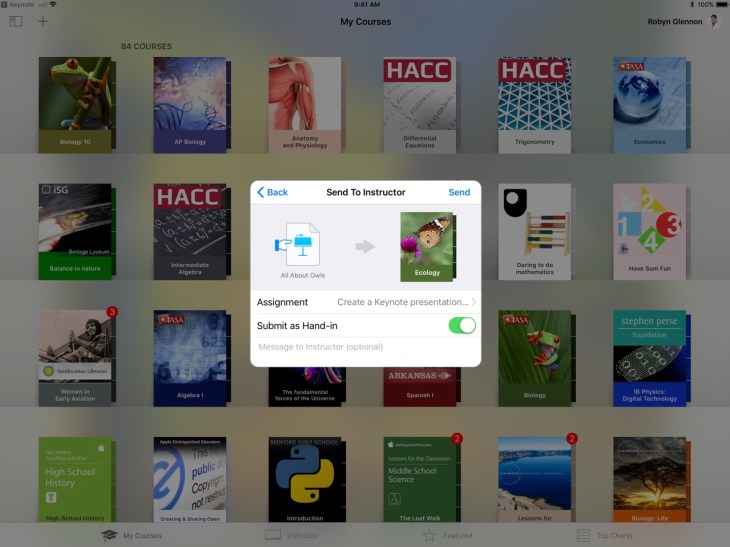
If you’re a teacher who has been relying on Apple’s iTunes U platform to digitally share your courses with the world, it’s time to shift to something new. After a few years of letting it mostly stagnate (the last update with anything but “stability improvements” was in 2017), Apple has quietly disclosed that iTunes U will be discontinued at the end of 2021.
The news comes via a support document on Apple’s site, as spotted by MacRumors.
Why? In short: It doesn’t really make sense to support it anymore — iTunes is no longer the all-encompassing, cram-it-on-in feature beast that it once was, so the name doesn’t really make sense today. Apple points out that they’ve been building out standalone apps like Classroom and Schoolwork to help teachers distribute material and grade students; meanwhile, plenty of third-party apps now focus on digital education as their first and foremost feature.
Apple first launched iTunes U in 2007 as a section of the iTunes Store meant to host courses and content from “top US colleges.” By 2013, Apple said those courses had been downloaded more than one billion times. By the middle of 2019, however, it was shifting much of the content to other platforms (such as moving audio-only content to the Apple Podcasts app), seemingly in preparation for an eventual shutdown.
Apple says that all current content on iTunes U will stay up “through the 2020-2021 educational year,” but encourages instructors to back up their materials sooner than later. If you’re a student working through a course on iTunes U, meanwhile, you’ll need to reach out to the instructor to figure out if/where they plan on moving it
Source: TechCrunch









