 TUTORIALS
How to Solve the Issue that Cydia Has A GPG Error?
 11/10/2016
 10532
10532
Currently, a lot of Apple users have met with the problem that they could see a GPG error: http://cydia.zodttd.com stable Release… in Cydia. Many people may think there is something wrong with Cydia, please don’t worry too much about this issue. This tutorial aims to introduce two methods for you to solve this issue that Cydia has a GPG error, waiting & ignoring this error or deleting the Plug-in projects.
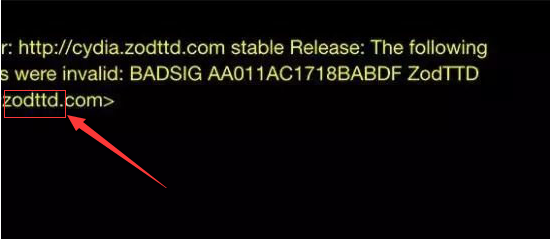
Method one: Waiting & ignoring this error.
This error is a temporary problem. Please ignore it if this issue has no effect on installing jailbreak plugins.
Method Two: Deleting the Plug-in projects.
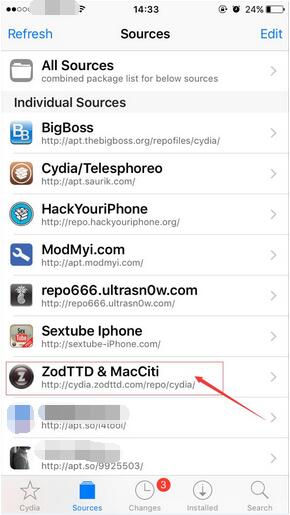
Please open the Cydia of your iPhone and click the option “Sources”, then you can find the option”ZodTTD & MacCiti”. Please click this option and delete it.
What is the effect of deleting ZodTTD?
ZodTTD is mainly used to provide some theme sources for games and emulator games in the early days. It includes a lot of oversized installation packages, but these installation packages are slow to update , so you can delete the useless installation packages. If needed, you can install them again.
How to reinstall ZodTTD?
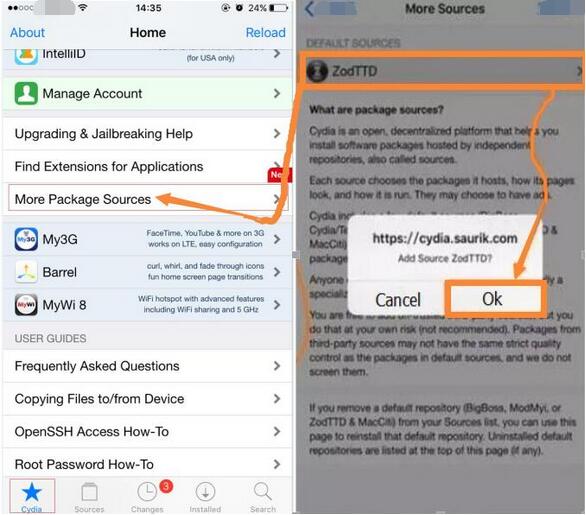
Please open the Cydia of iPhone→click the option” More Package Sources”→click the option “ZodTTD”→click the button”Ok”, then you can reinstall the plugin “ ZodTTD”.
3uTools is an easy-to-use flash & jailbreak tool for all iOS users, and all features of 3uTools are free. You can smoothly and effortlessly in jailbreak and flash iPhone, iPad and iPod Touch using 3uTools. Now, iOS10 beta5 has been supported by 3uTools. If you have any questions about iOS and 3uTools, please post them on "3uTools Forum".










