TUTORIALS
How to Restore A Jailbroken iPhone to the Original iOS 9.3.3 Version ?
 04/14/2017
 14505
14505
Since iOS 9.3.3 jailbreak tool was released by PanGu, a lot of Apple users could not help to experiencing it. However, some of them want to restore iPhone to the original iOS 9.3.3 version after jailbreak. Can we restore a jailbroken iPhone to the original iOS 9.3.3 in an easy way? This tutorial aims to introduce two methods for you to restore iPhone to the original iOS 9.3.3 version, for example, restarting iPhone and using 3uTools to flash your iPhone.
Method one: Please restart your iPhone.
Please restart your iPhone to set your iPhone in unjailbroken mode.
You can freely switch your iPhone between jailbroken mode and unjailbroken mode.
Method two: Using 3uTools to flash your iPhone.
Warm prompt: You can use 3uTools to flash your iPhone to iOS 9.3.3 or other available iOS versions.
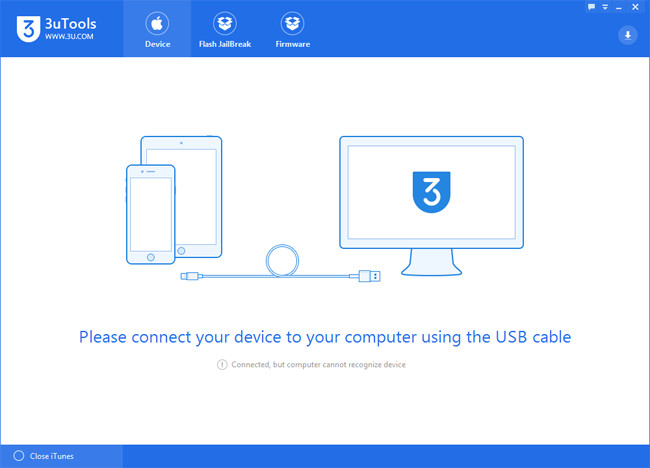
Step1: Download and install the latest 3uTools on your PC. Connect your iPhone to PC using the USB cable. After it’s connected, please click the button “Flash Jailbreak”, and then click the button “Easy flash”. Next, 3uTools will automatically show you the available firmware. (If 3uTools gives you a reminder that “Connection Timeout”, you need to set your iPhone in Recovery mode or DFU mode. And after it’s connected, 3uTools will automatically show you the available firmware. )
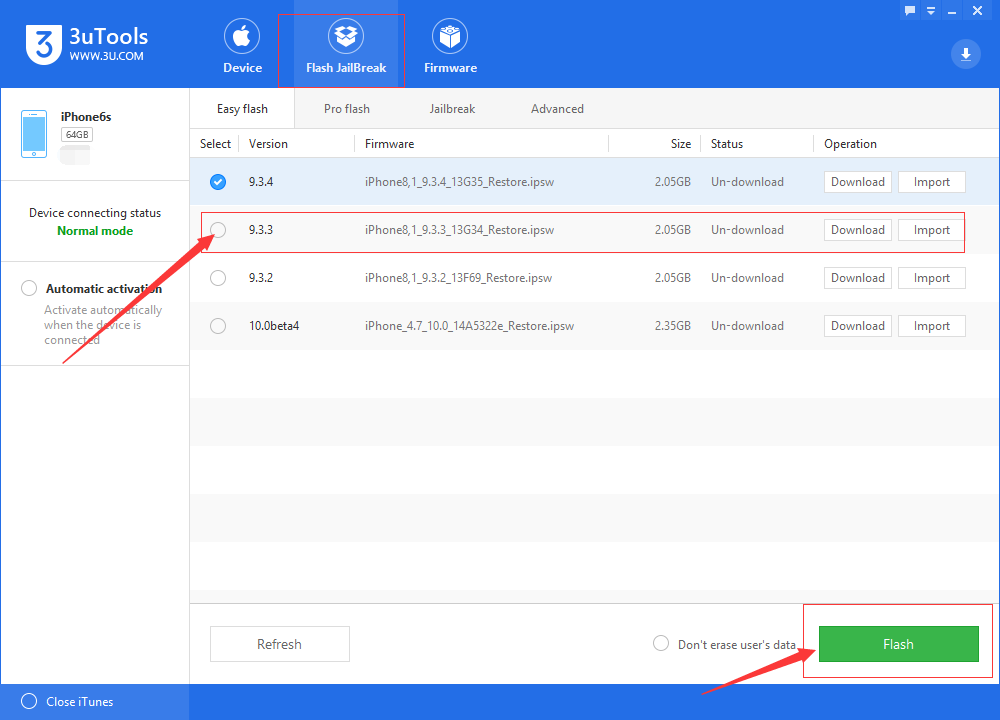
Step2: As shown in the following figure, you need to choose your wanted firmware, and then click the button “Flash ”. (If you have downloaded the firmware, you need to firstly import it to your PC, and then flash your iPhone).
Step3: 3uTools will automatically download the firmware and flash your iPhone, then you just need to wait till this process is finished. When you start to flash your iPhone, please keep a good connection between your PC and iPhone. (The flash process takes 10 minutes in general. If your iPhone has no reaction for more than twenty minutes during the flash process, please quit from 3uTools and flash your iPhone again. )