 TUTORIALS
How to Unjailbreak your iDeivce without Losing any Data and iOS Version?
 03/29/2019
 20475
20475
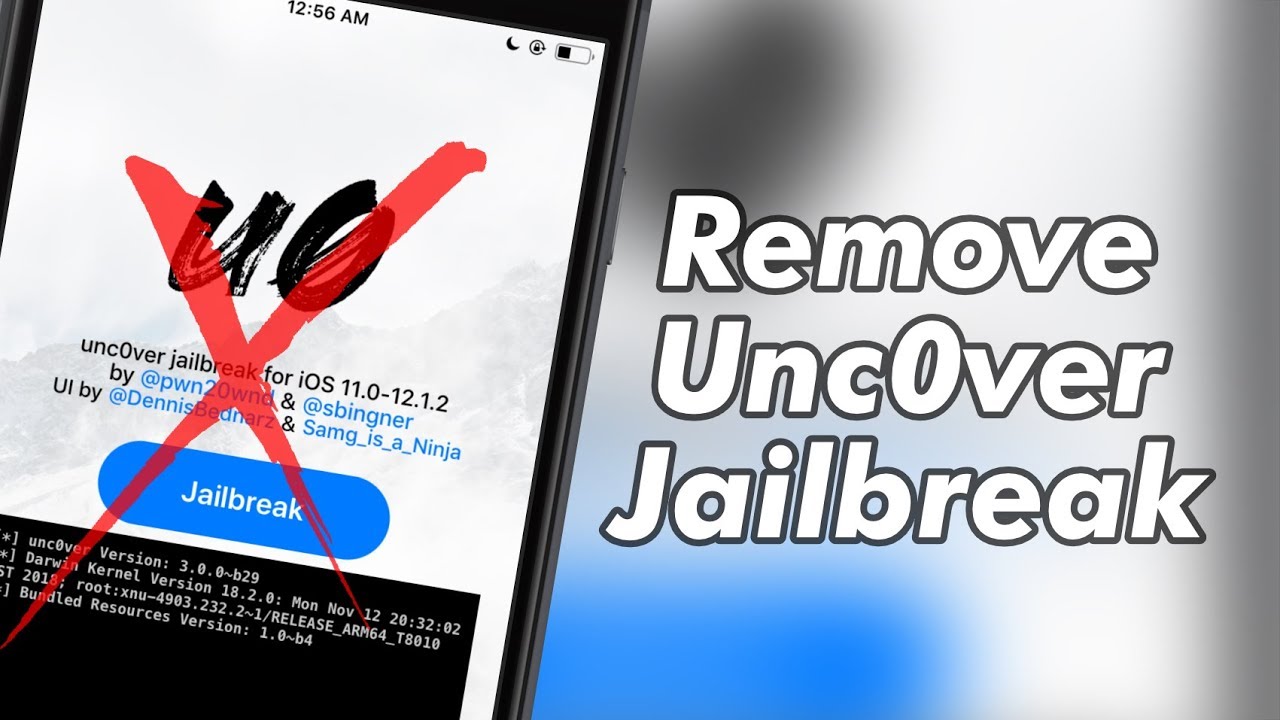
If your iDevice is jailbroken, you will have freedom in installing the applications which are not permitted in App Store. But you may change your mind, and want to unjailbreak your iDevice for some reasons. Then you have clicked on the right thread.
Note:
This only works for the unc0ver version of Jailbreak
To do a complete restore, you would need to check "Delete the preference files of the add ons" with iCleaner/iCleaner Pro since RootFS doesn't do that.
Preparation
Get "Flame" from Cydia (BigBoss repo).
Get the Default Mail app from the App store and log in.
Making a list of your tweaks for when you rejailbreak again
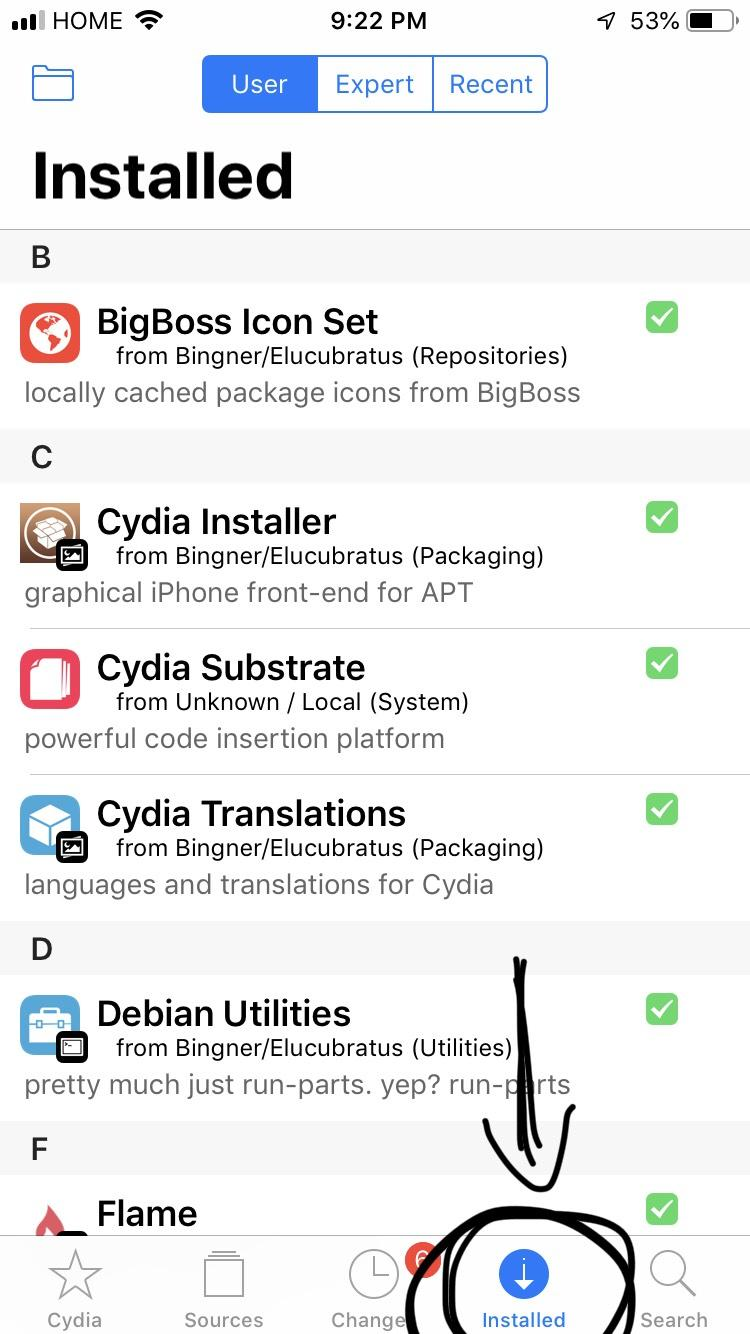
Step 1 Go into Cydia, and go to the "Installed" tab at the bottom.
Step 2 On that tab, you should see a folder icon on the top left corner of that page.
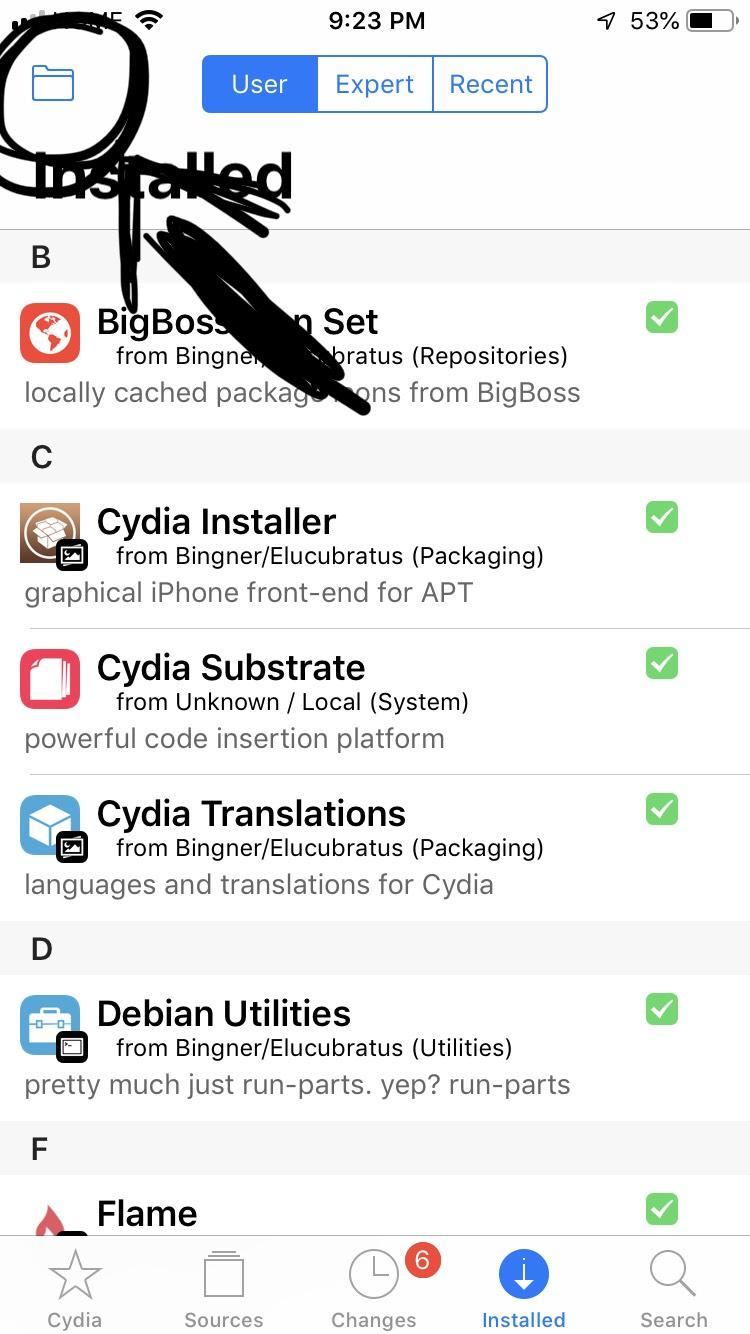
Step 3 Click that icon, and click "Tweaks List".
(You don't really need to click Both because your sources will remain there as long as you don't update your phone or do anything to Cydia)
Note: If nothing happens when you click this, make sure you have the default Mail app installed and make sure you're logged in.
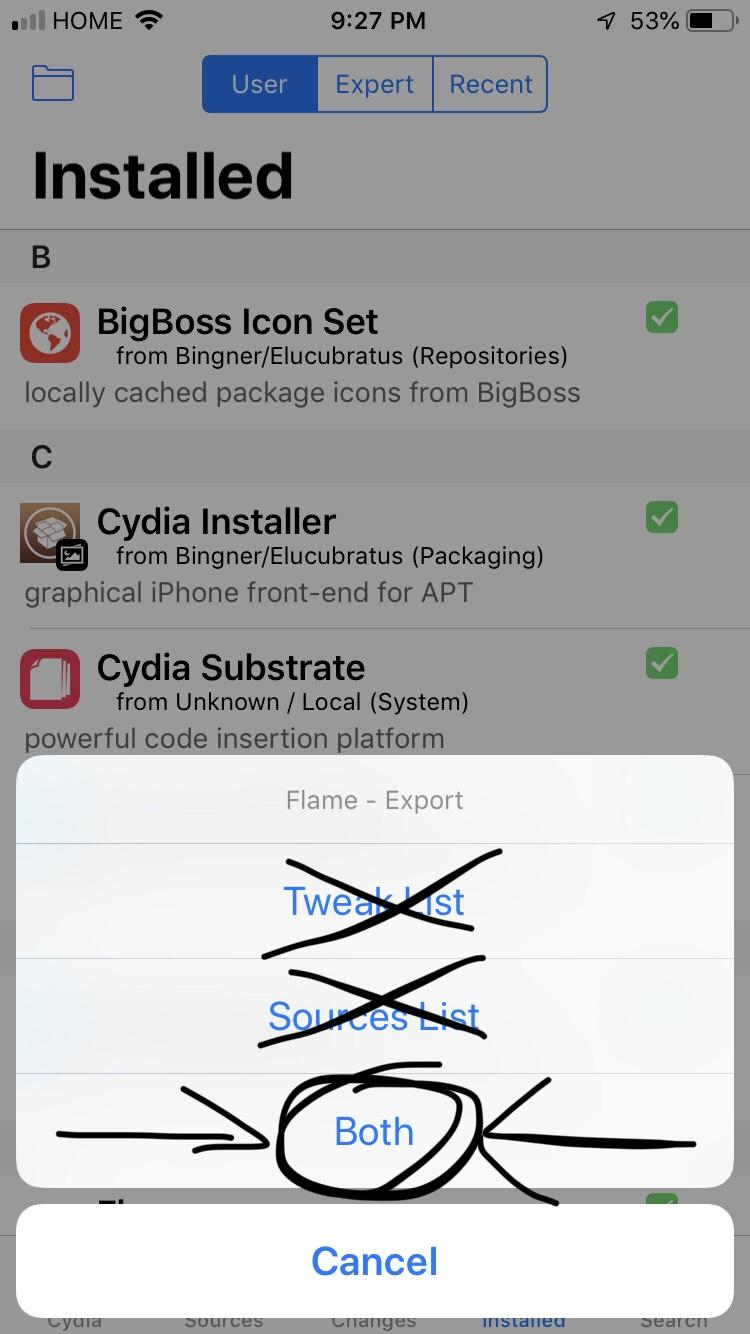
Step 4 You should be redirected to the Mail app you installed earlier
Step 5 Email it to yourself
Step 6 Make sure it went through, if it did, we can move on, if not, make sure you have the prep stuff, and redo.
Actually unjailbreaking your phone
Step 1 Go into the "unc0ver" app, and go to settings page
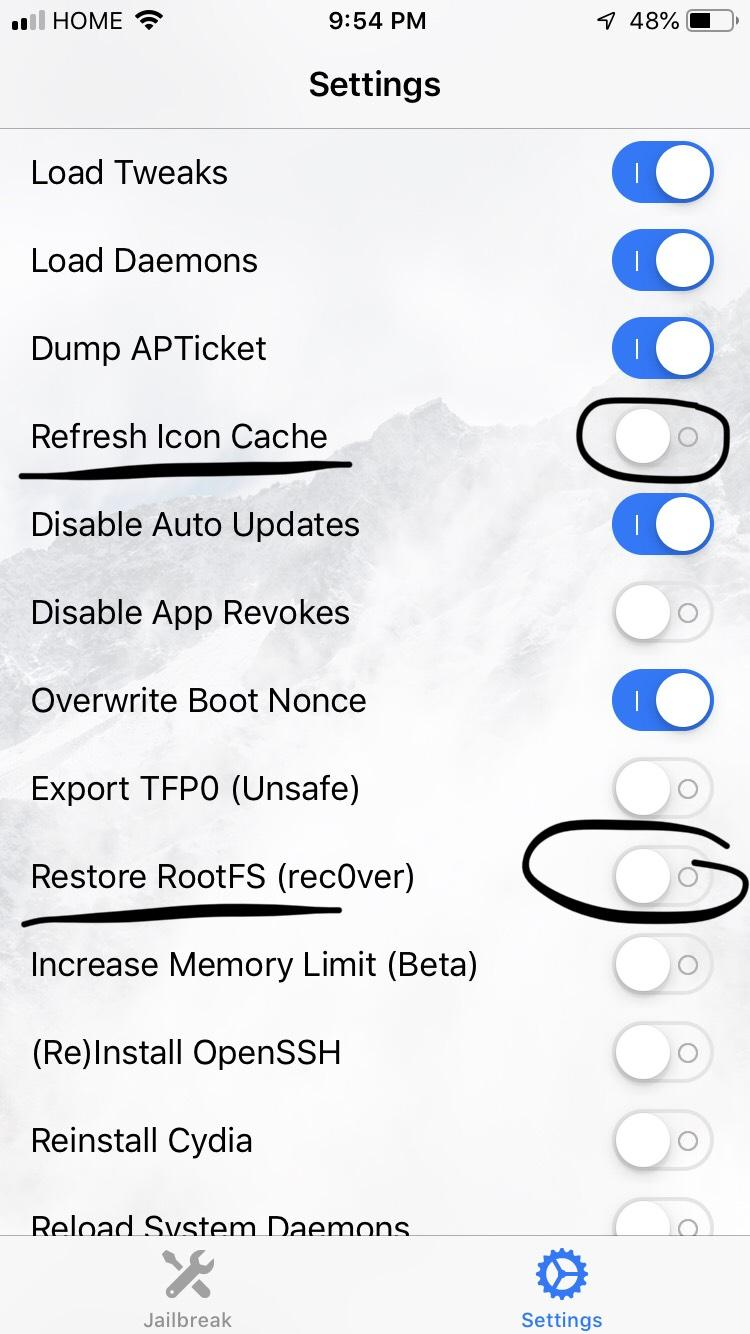
Step 2 Check the following options:
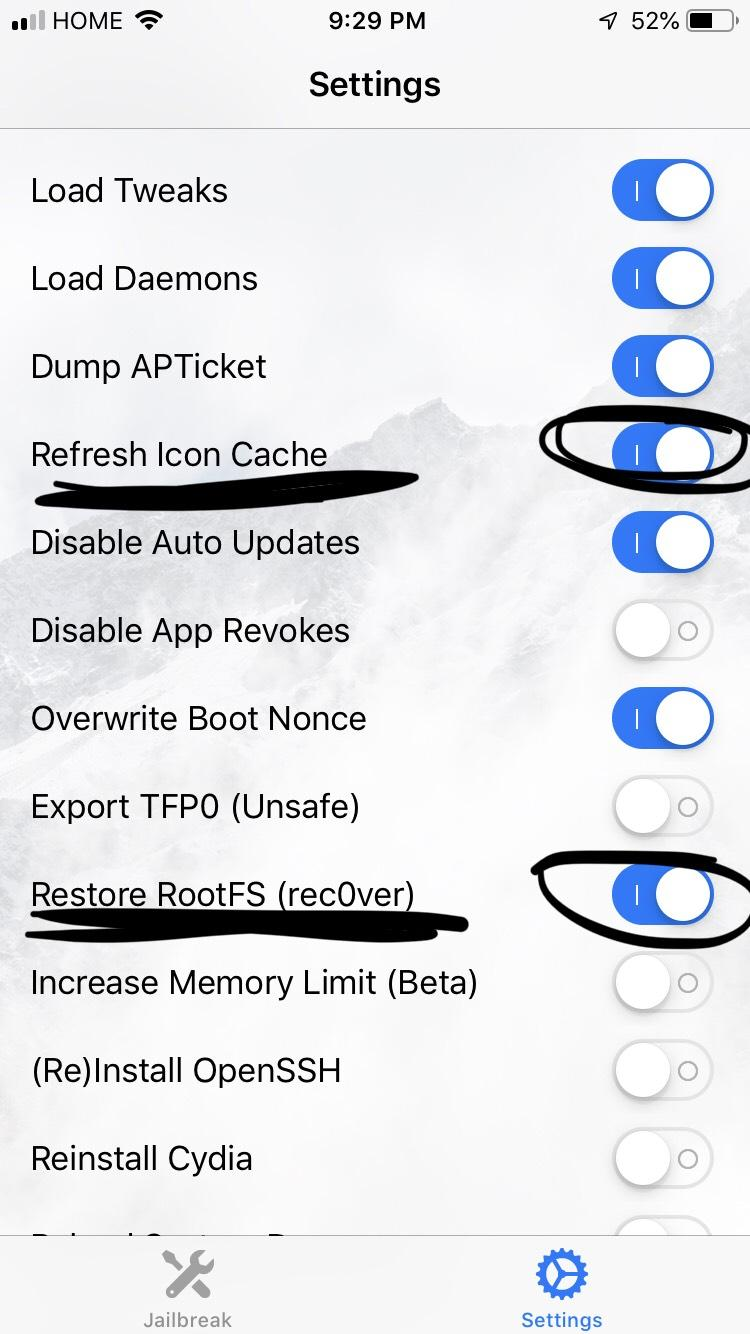
Step 3 Turn on airplane mode.
Step 4 Make sure your phone doesn't lock (for the next step)
Step 5 Go to the main page and click Re-Jailbreak.
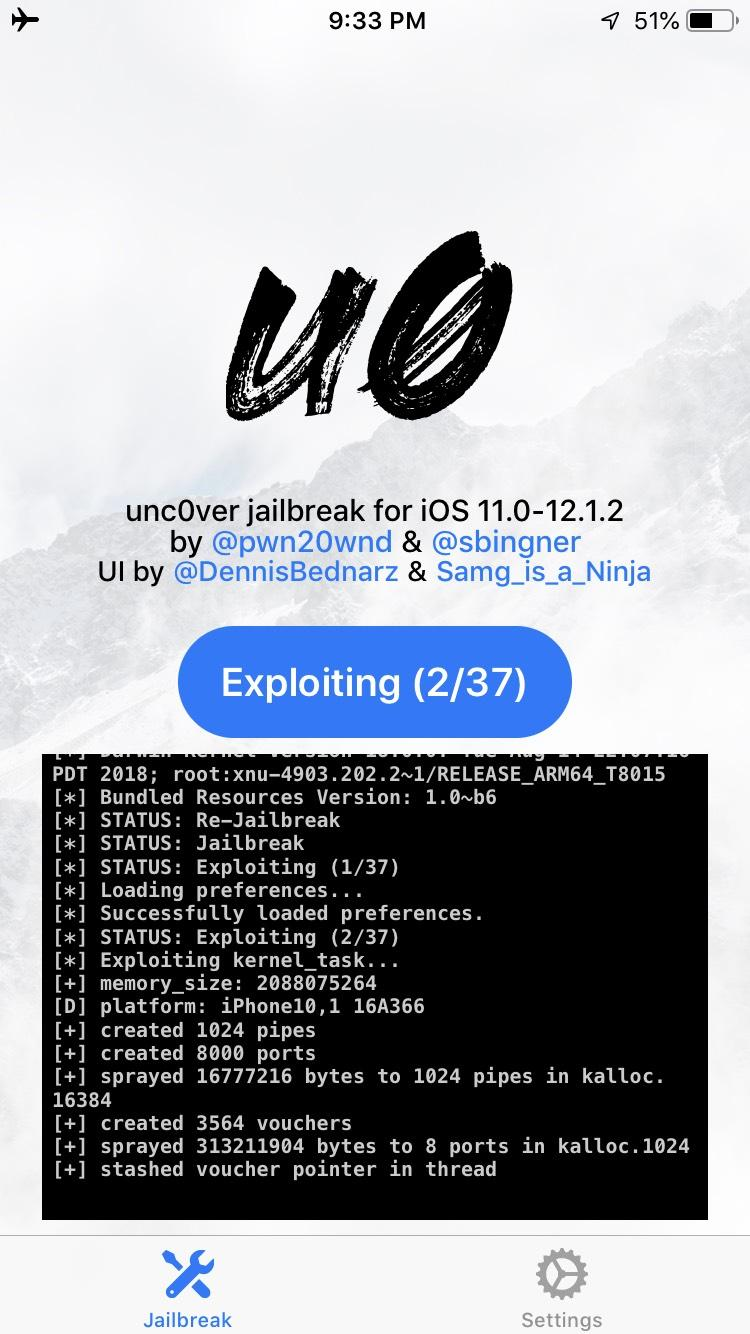
Step 6 You should get two notice pop-ups, click OK to both of them
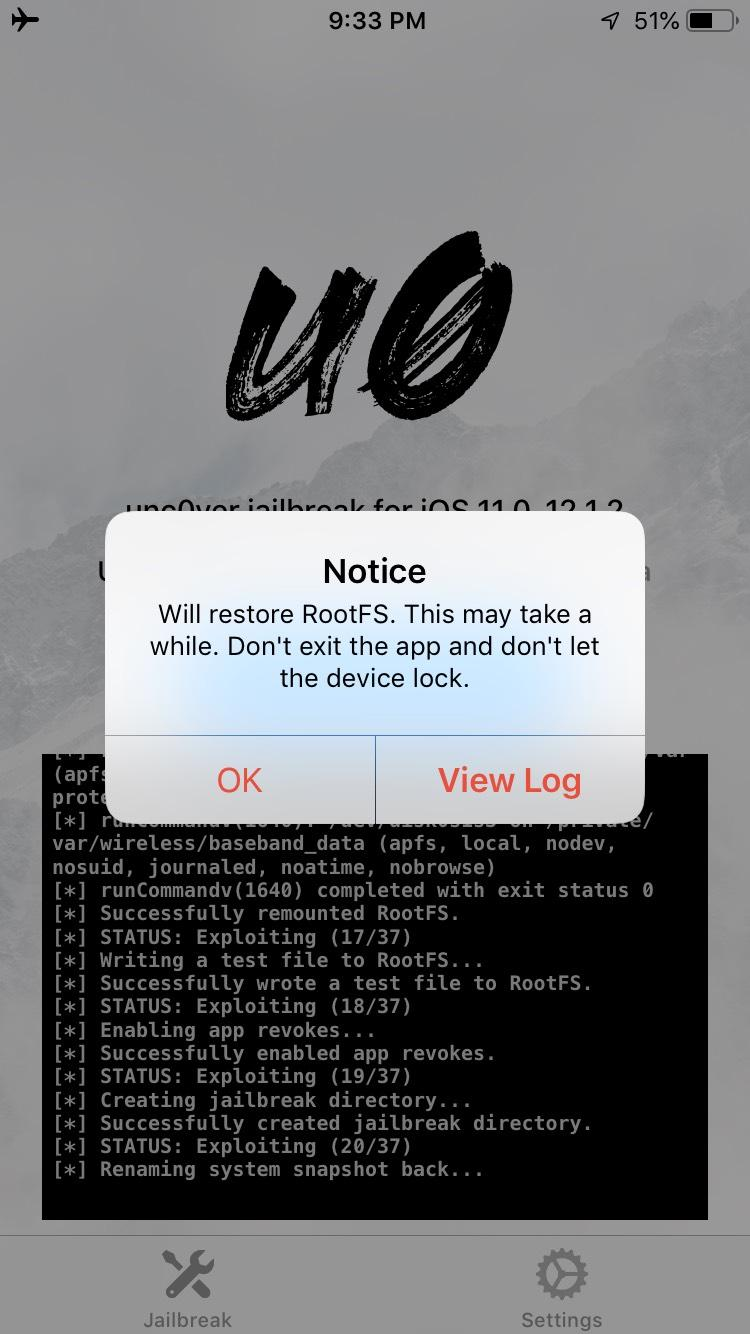
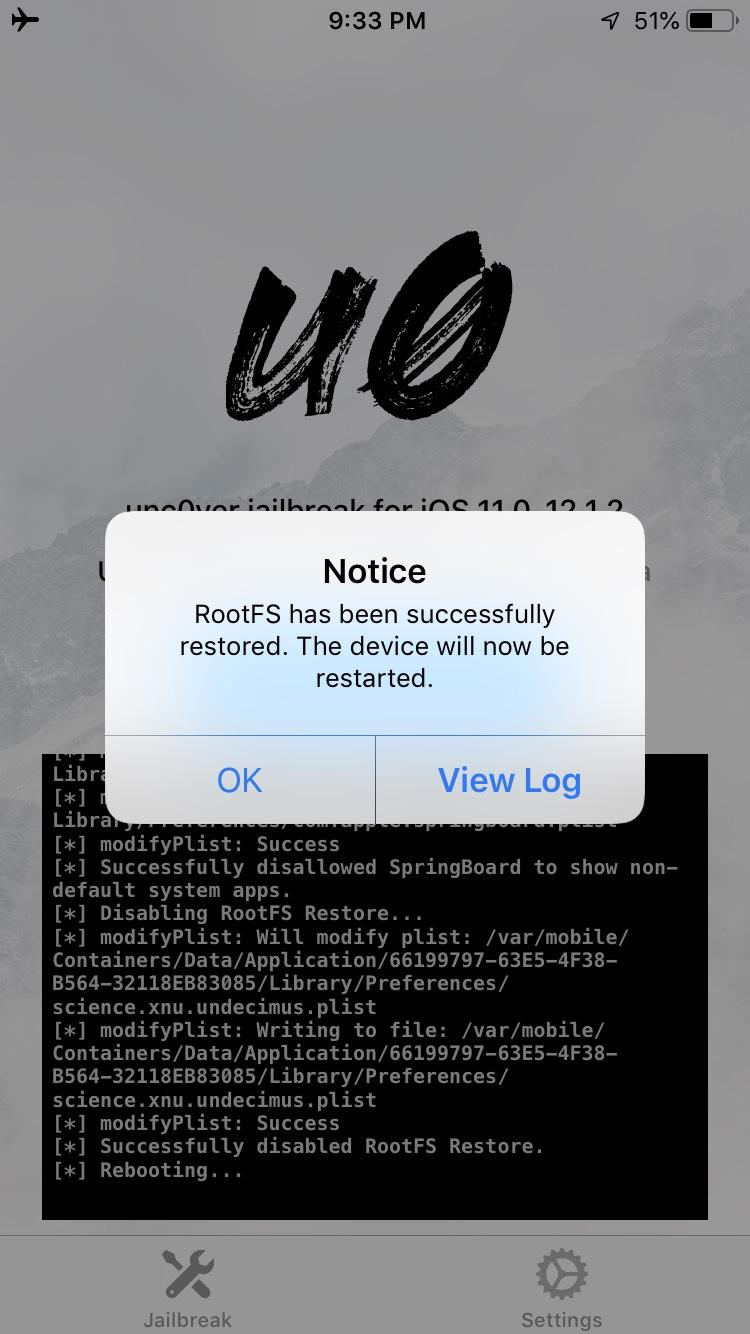
Step 7 If your phone reboots before you get the pop-ups, go back to unc0ver, check that the two options mentioned above are still checked, and click Jailbreak again
Step 8 After your phone reboots once more, go and click your Cydia app, it shouldn't load and your screen should be translucent for a split second
Your Cydia app should look like that, the rest varies.
Step 9 If that's what you see, congrats you unjailbroke without losing any data or updating your iOS version
Step 10 If you still see the white preview like when you try to open it after a normal reboot, retry unjailbreaking from step 1.
To Re-jailbreak your phone:
Step 1 Uncheck:
Step 2 Jailbreak
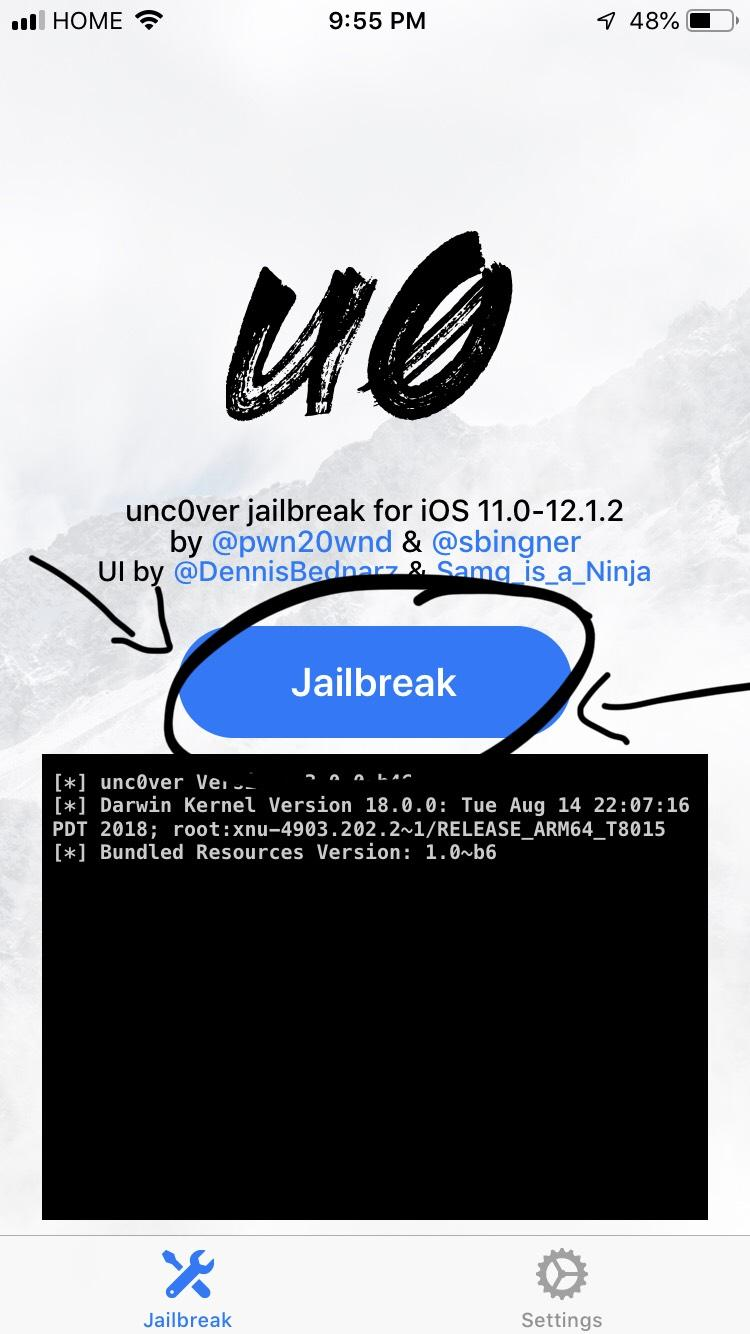
Step 3 Manually install all your tweaks.
Source: reddit










