 TUTORIALS
How to Jailbreak iOS 12 – iOS 12.1.2 Using 3uTools?
 03/29/2019
 130402
The latest 3uTools was out with iOS 12 – iOS 12.1.2 jailbreak support. Confused as to how you can jailbreak your iPhone or iPad though? Follow this guide then.
Compatible Devices
iPhone 5S / iPhone 6/ iPhone 6 Plus/ iPhone 6s/ iPhone 6s Plus/ iPhone SE/ iPhone 7/ iPhone 7 Plus
iPhone 8/ iPhone 8 Plus/ iPhone X/ iPhone Xs / iPhone Xs Max / iPhone XR
iPad Air/ iPad Air 2 9.7-inch/ iPad Pro 12.9-inch/ iPad Pro 10.5-inch/ iPad Pro 12.9-inch
iPad Pro (2th)/ iPad mini 2/ iPad mini 3/ iPad mini 4/ iPad 2018/ iPad 2017/ iPod touch 6
Pre-Requisites
Make sure that no iOS 12 OTA file is downloaded on your iPhone or iPad. Delete it from Settings -> Storage and then proceed to reboot your device.
While Cydia and Substrate compatibility is there, some repos might not work due to an iOS 12 bug.
To prevent future iOS 12 OTA updates from being downloaded on your device, you can install the tvOS 12 profile on it.
Make sure to create a backup of all important data in 3uTools.
Warning: This jailbreak is still in beta version, you can only use it at your own risk.
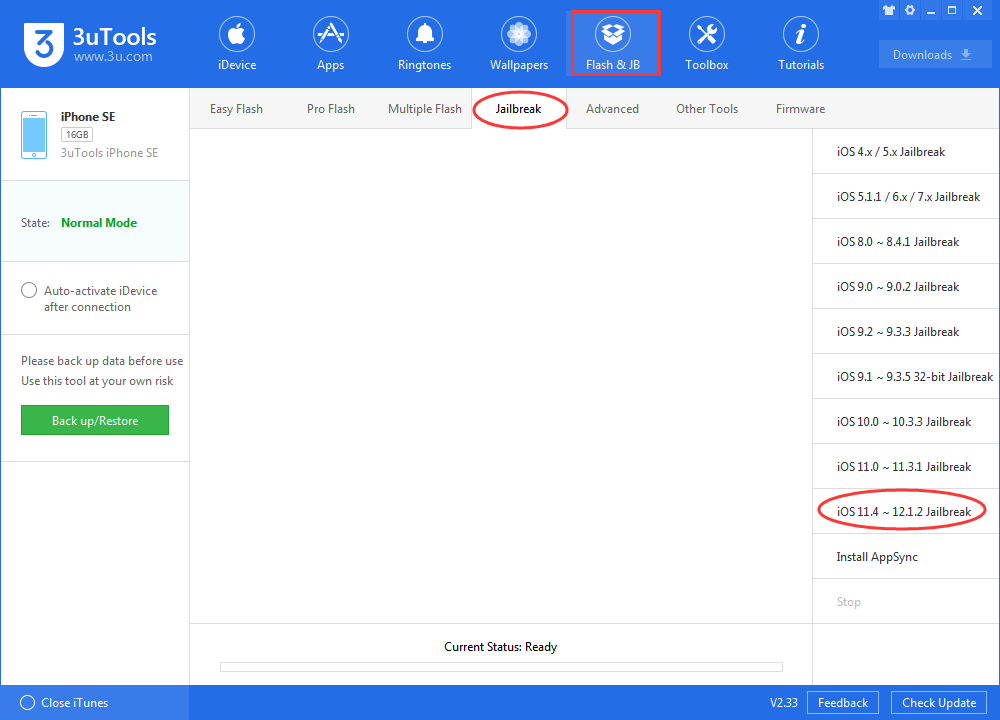
Step 1: Connect with 3uTools, click jailbreak iOS 12 from Flash&JB section.
Step 2: Trust Certificate
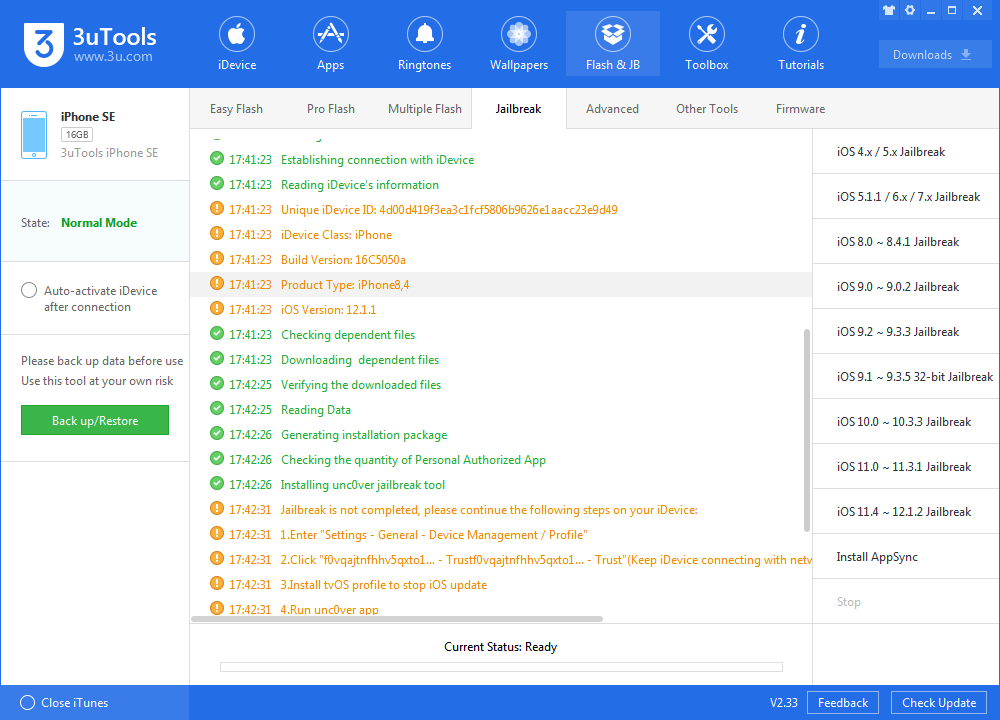
Head over to Settings-> General -> Device Management. Tap the developer name and trust the certificate. Without this, you won’t be able to launch the unc0ver jailbreak app on your iPhone.
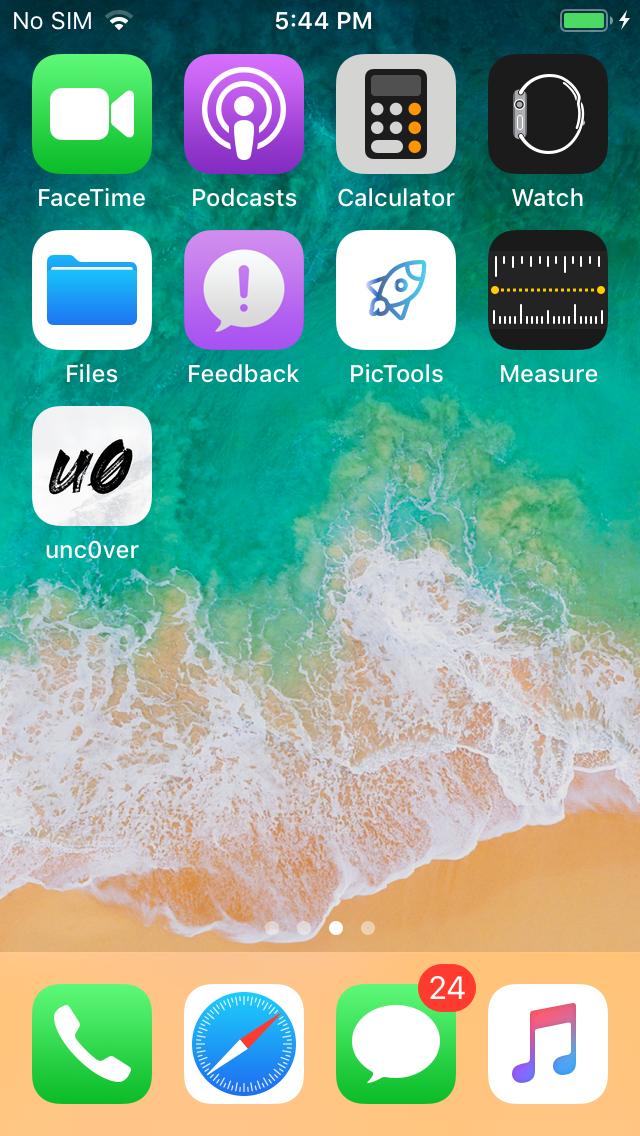
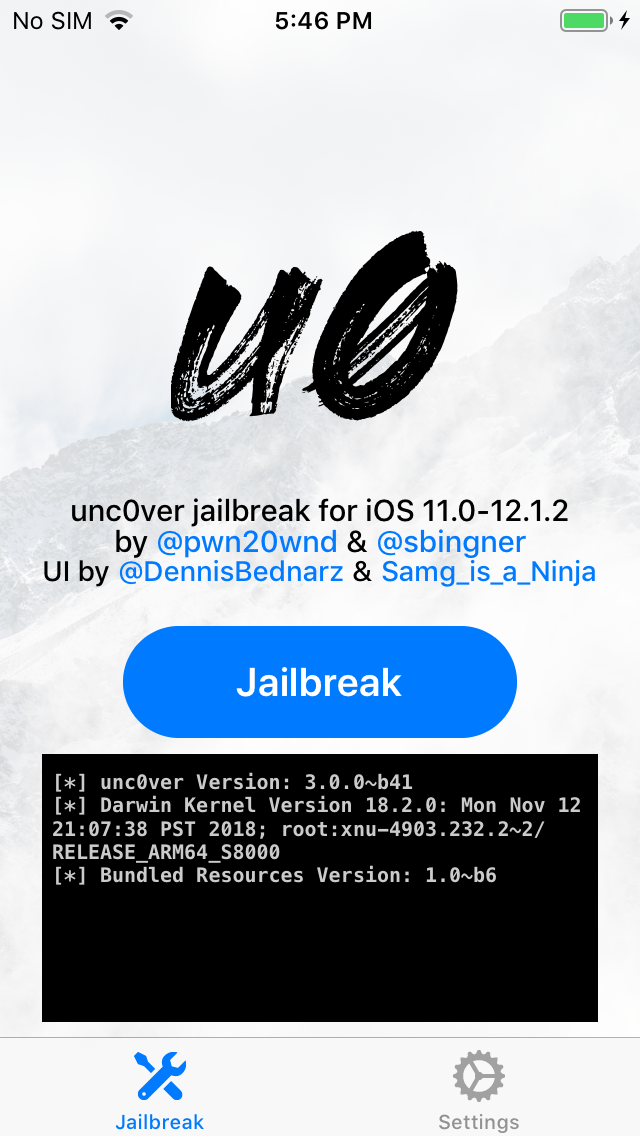
Step 3: Open Unc0ver, tap the Jailbreak button and wait for the app to do its job. Your iPhone or iPad will respring during the process after which you should see the Cydia icon on your home screen.
If the app gets stuck at the “Extracting Cydia…” step, you will need to reboot your iPhone/iPad and then try to jailbreak it again.
After successfully jailbreaking your iPhone or iPad on iOS 12 – iOS 12.1.2 with unc0ver jailbreak, check out an exhaustive list of iOS 12 – iOS 12.1.2 compatible jailbreak tweaks to customize your iPhone.
You won't miss these 25 tweaks on you jailboken iPhone.










