
TUTORIALS

How to Uninstall unc0ver Jailbreak on iOS 12?

02/28/2019

14940

While unc0ver jailbreak is highly stable, you are just an incompatible tweak away from making it unstable. Here’s how you can delete unc0ver jailbreak from your iPhone or iPad on iOS 12 and start afresh. And once unc0ver release public version, 3uTools will add support as soon as possible.
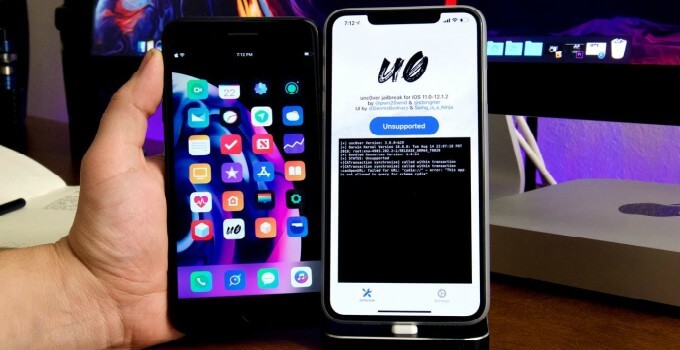

How to Uninstall unc0ver Jailbreak on iOS 12?


Delete Cydia Tweaks


Step 1 Open Cydia.


Step 2 Go to the Installed tab and manually delete all tweaks installed on your Apple device. This will ensure all leftover tweak files, preferences files, and dependencies are removed beforehand and won’t get backed up with every backup performed hereafter. 


Enable Rootfs Restore


Step 3 Open the jailbreak app and go to the Settings tab.


Step 4 Toggle on Restore RootFS (rec0ver) and Refresh Icon Cache.
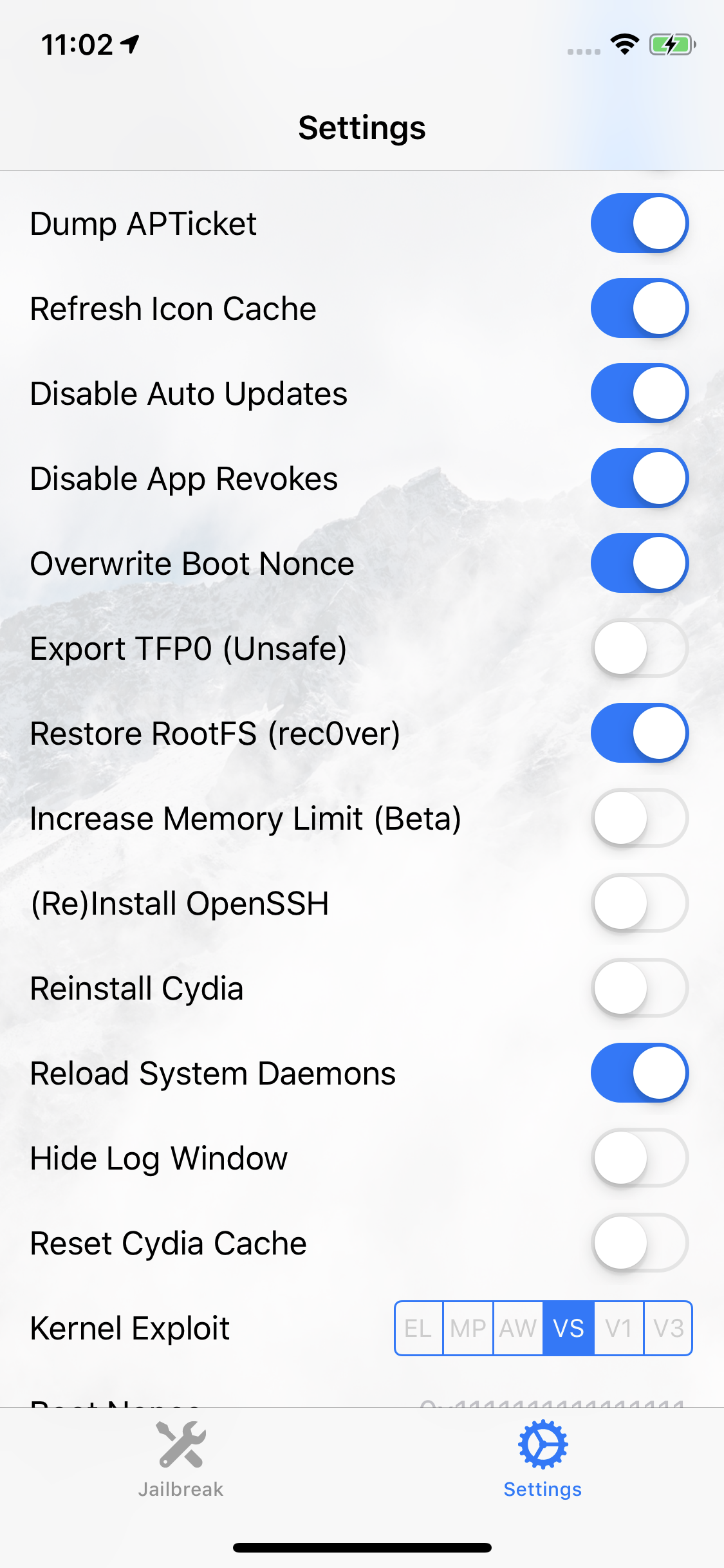

How to Uninstall unc0ver Jailbreak on iOS 12?


Step 5 Go back to the main screen and press Jailbreak or Re-jailbreak.


Restore your device


Step 6 Wait for the exploitation to commence. When the app displays the RootFS Restore notification, tap OK.
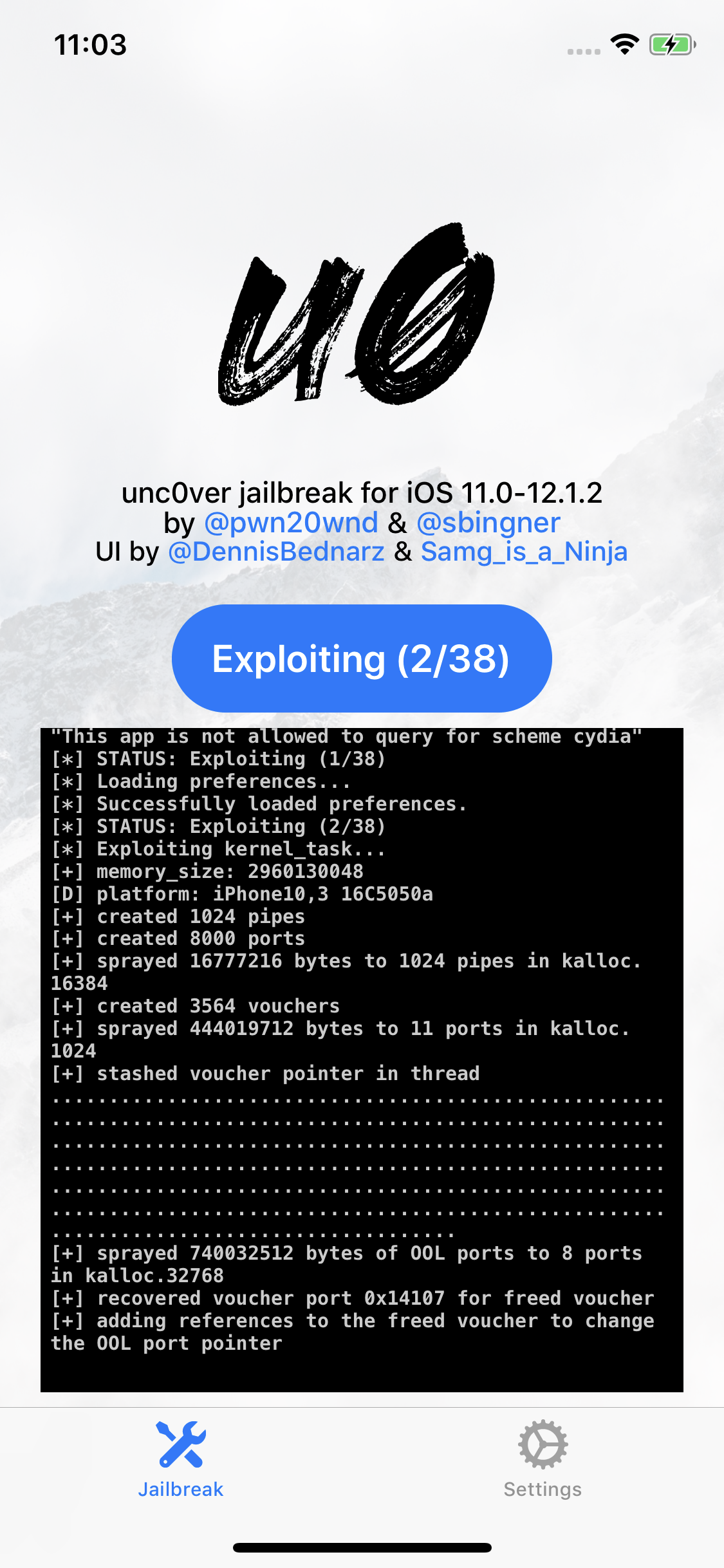

How to Uninstall unc0ver Jailbreak on iOS 12?


Step 7 Wait for the app to restore the root filesystem. This shouldn’t take more than 10-12 minutes. If, however, it somehow ends up taking longer than that, let it do its thing and don’t hard reset or reboot your device.


Step 8 When the app displays the “RootFS has been successfully restored” message, tap OK.


Step 9 Enter wiggle mode and remove the unc0ver application from your iPhone or iPad.


That’s all there’s to it. Do not press the “Reset All Content And Settings” button in Settings after using RootFS Restore.


Windows
Mac OS
iOS
Linux
3uTools
Win 64-bit For this device
V9.01 2025-12-27
Download
Win 32-bit For this device
V9.01 2025-12-27
Download
3uTools
Intel Chip How to Identify Chip Type
V9.01 2025-12-31
Download
Apple Silicon
V9.01 2025-12-31
Download
How to Identify Chip Type
1.  Click the Apple icon in the top-left corner of the screen and select About This Mac.
2.  Check the Processor or Chip field to determine if it is "Intel" or "Apple".
Please use the 3uTools PC client to install the iOS client:
1、 Install either the Windows or Mac version of 3uTools on your computer
2、 Open the PC client and connect your device to the computer via USB cable
3、 After the connection is successful, wait for the computer to automatically install the mobile app for the device, or locate “Install Mobile App” on the computer and manually click to install.
3uTools
deb file
V3.01 2025-11-20
Download
rpm file
V3.01 2025-11-20
Download
Windows
Windows
iOS
iOS
Android
Android
TV
TV
3uAirPlayer
Win 64-bit For this device
V6.0.2 2025-11-19
Download
Win 32-bit For this device
V6.0.2 2025-11-19
Download
iOS Device Mirroring (No App Required)
1、 Install 3uAirPlayer on the Windows PC
2、 Open Control Center and select Screen Mirroring
3、 From the list, choose your PC to start mirroring
4、 Or connect your iOS device to the PC via USB to begin mirroring
Scan to get "3uAirPlayer" App
3uAirPlayer TV V1.0.18
2025-11-28
TV System Requirements: Android 7.0 or later
Download the TV installation package, copy it to a USB drive, insert it into your TV or set-top box, then select the file from the home screen to install.



