
TUTORIALS

Download Sileo Cydia alternative for iOS 11.0-11.4 Beta 3

12/27/2018

10056

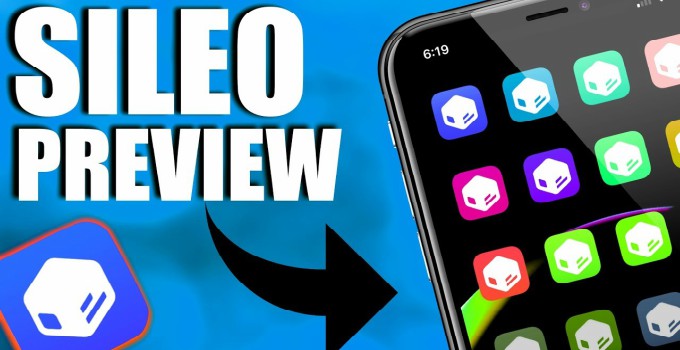
With the release of Electra 1.1.0, Coolstar has also released the first public version of Sileo. Here’s how you can download and install it on your iPhone, iPad, and iPod touch. 

Download Sileo Cydia alternative for iOS 11.0-11.4 Beta 3


Before you install this new Cydia replacement on your device, here are a few things you should keep in mind –

  • Some functionality and features are still missing or may not work as expected.

  • Since this is a beta preview, some bugs might have crept in.   

  • Only payments through the Dynastic Development repository are supported for now.


Requirements

  • iPhone, iPad or iPod touch 

  • A compatible firmware version 

  • Electra jailbreak v1.1.0


Electra Jailbreak


Step 1 Open Cydia.


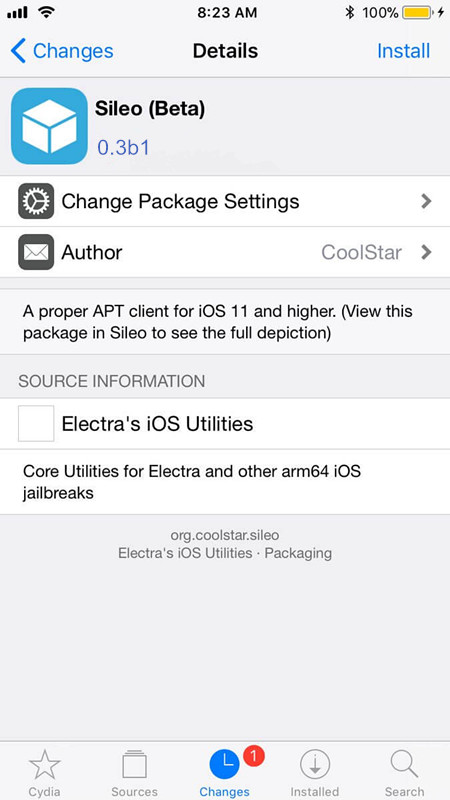
Step 2 Go to the Sources section, scroll down, and tap on Electra’s iOS Utilitiessource – the default repository of Electra jailbreak.


Step 3 Scroll down and tap on the Sileo (Beta) package and press Install.


Download Sileo Cydia alternative for iOS 11.0-11.4 Beta 3


Step 4 Wait for the installation to complete and tap Restart SpringBoard.


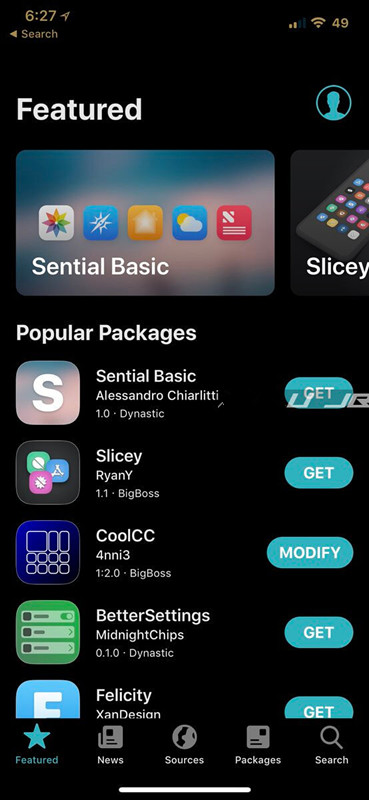
Step 5 Go back to your home screen and launch the Sileo app.  

Download Sileo Cydia alternative for iOS 11.0-11.4 Beta 3


The development team plans to introduce new features and support to their package manager. Here’s what you can expect from the upcoming versions of Sileo.

  • Payment support coming to Chariz (formerly HashBang repo).

  • Source code will be soon get published on GitHub.  

  • The initial build will be distributed on a new Cydia repository.


Source: yalujb

Windows
Mac OS
iOS
Linux
3uTools
Win 64-bit For this device
V9.0 2025-11-11
Download
Win 32-bit For this device
V9.0 2025-11-11
Download
3uTools
Intel Chip How to Identify Chip Type
V9.0 2025-12-02
Download
Apple Silicon
V9.0 2025-12-02
Download
How to Identify Chip Type
1.  Click the Apple icon in the top-left corner of the screen and select About This Mac.
2.  Check the Processor or Chip field to determine if it is "Intel" or "Apple".
Please use the 3uTools PC client to install the iOS client:
1、 Install either the Windows or Mac version of 3uTools on your computer
2、 Open the PC client and connect your device to the computer via USB cable
3、 After the connection is successful, wait for the computer to automatically install the mobile app for the device, or locate “Install Mobile App” on the computer and manually click to install.
3uTools
deb file
V3.01 2025-11-20
Download
rpm file
V3.01 2025-11-20
Download
Windows
Windows
iOS
iOS
Android
Android
TV
TV
3uAirPlayer
Win 64-bit For this device
V6.0.2 2025-11-19
Download
Win 32-bit For this device
V6.0.2 2025-11-19
Download
iOS Device Mirroring (No App Required)
1、 Install 3uAirPlayer on the Windows PC
2、 Open Control Center and select Screen Mirroring
3、 From the list, choose your PC to start mirroring
4、 Or connect your iOS device to the PC via USB to begin mirroring
Scan to get "3uAirPlayer" App
3uAirPlayer TV V1.0.18
2025-11-28
TV System Requirements: Android 7.0 or later
Download the TV installation package, copy it to a USB drive, insert it into your TV or set-top box, then select the file from the home screen to install.




