 TUTORIALS
How to Jailbreak iOS 10 / 10.1.1 With Mach_Portal & Yalu?
 12/23/2016
 14898
14898
iOS10.1 and iOS 10.1.1 jailbreak Beta version have been released by Luca Todesco based on Ian Beer’s Project Zero exploit. Here’s a step by step guide on how to jailbreak iOS 10 and iOS 10.1.1 on supported devices using mach_portal & Yalu jailbreak and Cydia Impactor.
Download Cydia Impotor: Click Here
Jailbreak Tool for iOS 10.1/10.1.1: Click Here(Updated Beta3)
3uTools advises you that this version is unstable, if you are experienced jailbreakers, you may try to use this tip.
Before going ahead with this , it’s important to know the devices that are currently supported by the jailbreak, as well as the firmware versions that are compatible with it. It is also important to note that the jailbreak is beta and semi-untethered in nature, which means bugs are to be expected and you will have to put it back in jailbreak mode after every reboot.
Supported devices and firmwares:
iPhone 7/7 Plus running iOS 10.1 or iOS 10.1.1, iPhone 6s/6s Plus running iOS 10.0.1-10.1.1 and iPad Pro running iOS 10.0.1-10.1.1.
Jailbreak Method
Download 2 apps to your iDevice, which need a legal signing account connecting with your idevice kenel to realize jailbreak.
1. Launch Cydia Impactor.
2. Connect your iDevice with iTunes on your computer.
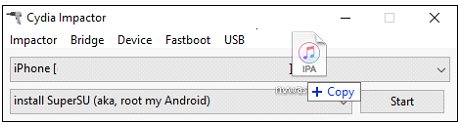
3. Drag and drop the Yalu IPA file on Cydia Impactor to create a temporary certificate.
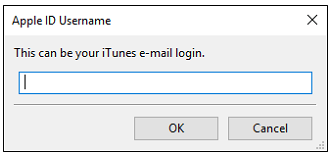
4. Enter your Apple ID when Cydia Impactor prompts for it.(Apply your own temporary certificate).
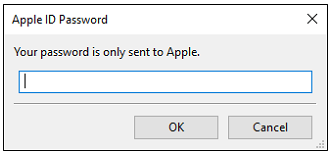
5. Input your password, and click OK.
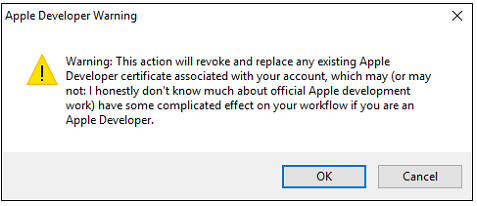
6. Now wait for Cydia Impactor to install the jailbreak app onto your device. At this moment,Cydia Impactor will sign this App and install singed "App:mach_portal" to your iDevice.
7. You could be required to set "Trust this certificate" in Settings.
8. Wait for this jailbreak successfully.
9. Back to desktop, enter mach_portal which just was installed.
10. Cydia will flash back after rebooting, you need to restart mach_portal(Same as PanGu 9.3 Jailbreak).
Above process is for iOS10.1 and iOS 10.1.1 jailbreak Beta version, which may not be successful, 3uTools will update latest jailbreak tool if jailbreak authors update more stable versions.










