
TUTORIALS

​Palette Lets You Colorize Your Notifications and Widgets

07/27/2018

5499

If you’re a jailbreaker, then chances are you enjoy standing out from the rest of the crowd. One way you can accomplish this is by changing the look and feel of your iOS device, and a new free jailbreak tweak called Palette by iOS developer Maxwell Dausch can help you do just that.

​Palette Lets You Colorize Your Notifications and Widgets


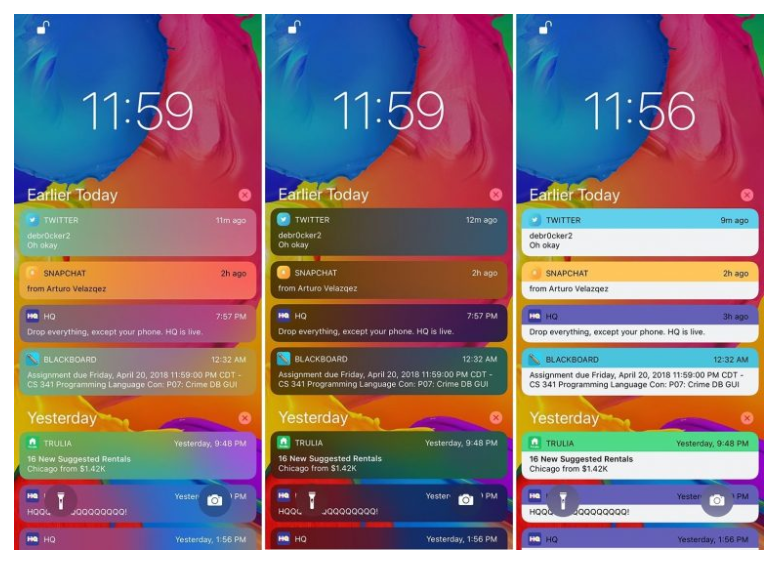
As the name implies, Palette produces a handful of colorization options for your jailbroken handset. More specifically, it focuses on incoming notifications and widgets, which most people interact with every day.


The screenshots above depict a few examples of what you can do to your incoming notification banners with Palette. So long as you have an imagination, you can create practically any look and feel you want.


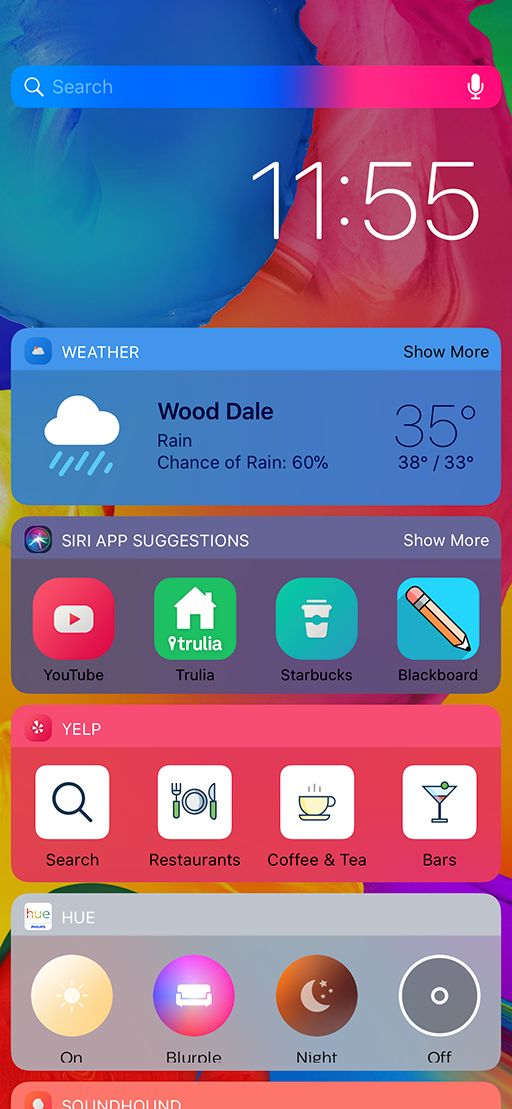
And as we mentioned before, the tweak works with iOS widgets too:

​Palette Lets You Colorize Your Notifications and Widgets


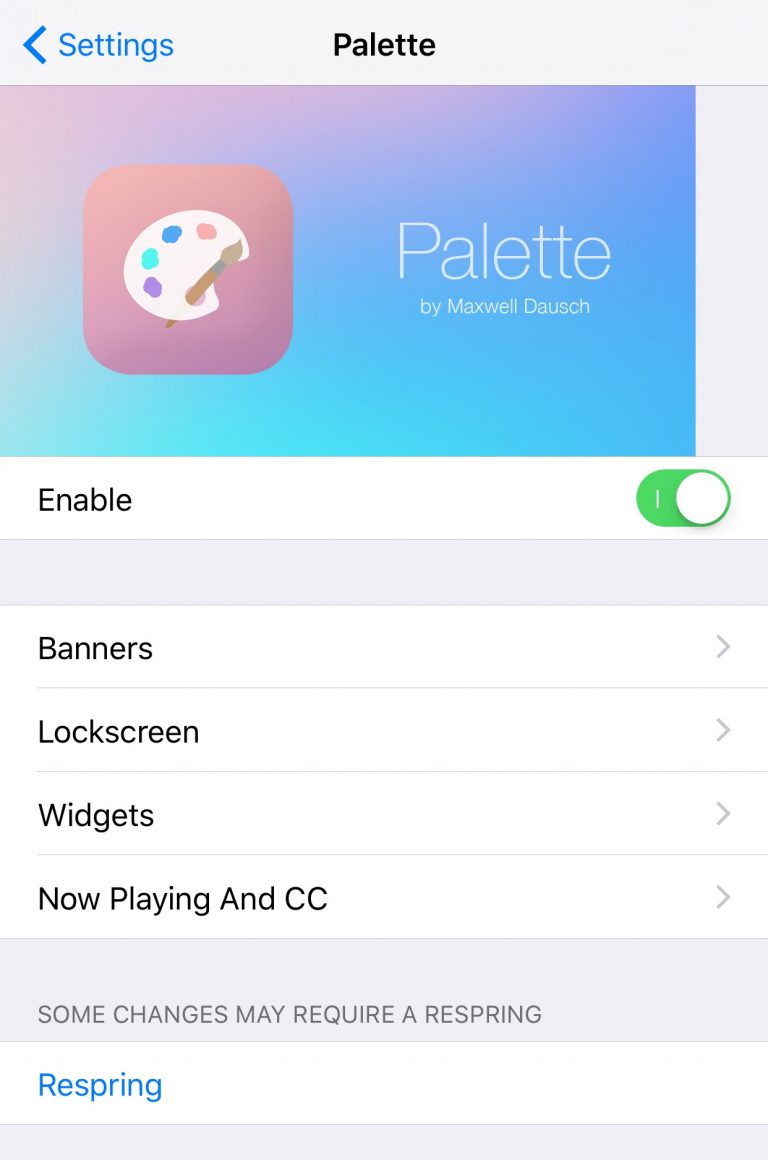
Palette adds a preference pane to the Settings app where you can configure the tweak to your liking:

​Palette Lets You Colorize Your Notifications and Widgets


The developer includes a Respring button at the bottom of the main preference pane that you should use any time you make changes. Doing so saves your changes.


Given the depth of customization provided by Palette, it might be worth checking out if you have a knack for theming or UI customization. If you want to give Palette a try, then you can download it for free from Cydia’s Packix repository. The tweak works on all jailbroken iOS 11 devices.


Source: idb


Windows
Mac OS
iOS
Linux
3uTools
Win 64-bit For this device
V9.0 2025-11-11
Download
Win 32-bit For this device
V9.0 2025-11-11
Download
3uTools V3.18
2025-09-18
Please use the 3uTools PC client to install the iOS client:
1、 Install either the Windows or Mac version of 3uTools on your computer
2、 Open the PC client and connect your device to the computer via USB cable
3、 After the connection is successful, wait for the computer to automatically install the mobile app for the device, or locate “Install Mobile App” on the computer and manually click to install.
3uTools
deb file
V3.01 2025-11-20
Download
rpm file
V3.01 2025-11-20
Download
Windows
Windows
iOS
iOS
Android
Android
TV
TV
3uAirPlayer
Win 64-bit For this device
V6.0.2 2025-11-19
Download
Win 32-bit For this device
V6.0.2 2025-11-19
Download
iOS Device Mirroring (No App Required)
1、 Install 3uAirPlayer on the Windows PC
2、 Open Control Center and select Screen Mirroring
3、 From the list, choose your PC to start mirroring
4、 Or connect your iOS device to the PC via USB to begin mirroring
Scan to get "3uAirPlayer" App
3uAirPlayer TV V1.0.18
2025-11-28
TV System Requirements: Android 7.0 or later
Download the TV installation package, copy it to a USB drive, insert it into your TV or set-top box, then select the file from the home screen to install.




