TUTORIALS

FacebookDarkMode – Dark Mode for Facebook

04/26/2018

10714

FacebookDarkMode – Dark Mode for Facebook


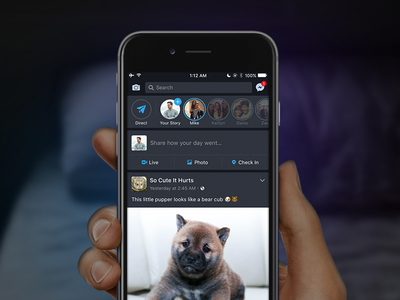
FacebookDarkMode aims to bring a native-like dark mode experience to your iPhone. Download it for your iPhone, iPad, and iPod touch below.


FacebookDarkMode Cydia tweak adds a dark mode for Facebook. It is developed by Foxfort Mobile who is a newcomer on the jailbreak scene.


What makes it stand out from the rest of dark mode tweaks is its theming ability. It comes loaded with four stunning themes, each of which lends a new hue to the night mode.


FacebookDarkMode is available for download on Packix repo for $1.50. It is compatible with iOS 11.


Here's how the theme looks like from YaluJB.


Default Theme

The default theme should be suitable for all users – not too dark and not too bright. It keeps the top and bottom areas dark while the actual post area remains light.


It is perfect for those who want to have a dark mode without sacrificing readability.


FacebookDarkMode – Dark Mode for Facebook


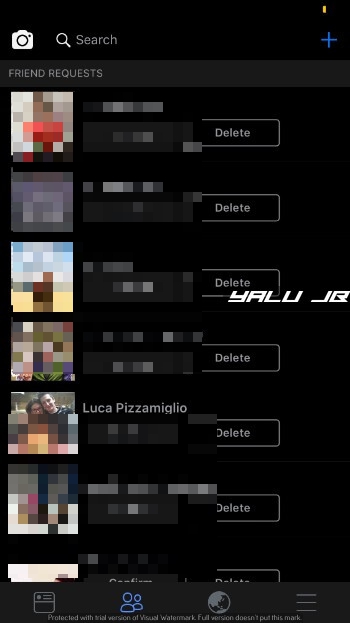
Black Theme

This is the “actual” dark theme, which makes everything as black as possible. The top and bottom areas are slightly light which improves readability.


A pitch-black color scheme would actually make certain regions invisible. Therefore, keeping a lighter color a part of the scheme is a great decision on the developer’s part.

FacebookDarkMode – Dark Mode for FacebookFacebookDarkMode – Dark Mode for Facebook


Monokai Theme

Monokai is yet another stunning theme. It uses a cool combination of black and brown while still staying true to the night mode experience.


FacebookDarkMode – Dark Mode for Facebook


Tangaroa Theme

Tangaroa theme uses a shade of blue mixed with black that blends in really well. I suggest using this color scheme if you want a not-so-dark mode for Facebook.



FacebookDarkMode – Dark Mode for Facebook

Windows
Mac OS
iOS
Linux
3uTools
Win 64-bit For this device
V9.02 2026-01-22
Download
Win 32-bit For this device
V9.02 2026-01-22
Download
3uTools
Intel Chip How to Identify Chip Type
V9.01 2025-12-31
Download
Apple Silicon
V9.01 2025-12-31
Download
How to Identify Chip Type
1.  Click the Apple icon in the top-left corner of the screen and select About This Mac.
2.  Check the Processor or Chip field to determine if it is "Intel" or "Apple".
Please use the 3uTools PC client to install the iOS client:
1、 Install either the Windows or Mac version of 3uTools on your computer
2、 Open the PC client and connect your device to the computer via USB cable
3、 After the connection is successful, wait for the computer to automatically install the mobile app for the device, or locate “Install Mobile App” on the computer and manually click to install.
3uTools
deb file
V3.01 2025-11-20
Download
rpm file
V3.01 2025-11-20
Download
Windows
Windows
iOS
iOS
Android
Android
TV
TV
3uAirPlayer
Win 64-bit For this device
V6.0.2 2025-11-19
Download
Win 32-bit For this device
V6.0.2 2025-11-19
Download
iOS Device Mirroring (No App Required)
1、 Install 3uAirPlayer on the Windows PC
2、 Open Control Center and select Screen Mirroring
3、 From the list, choose your PC to start mirroring
4、 Or connect your iOS device to the PC via USB to begin mirroring
Scan to get "3uAirPlayer" App
3uAirPlayer TV V1.0.18
2025-11-28
TV System Requirements: Android 7.0 or later
Download the TV installation package, copy it to a USB drive, insert it into your TV or set-top box, then select the file from the home screen to install.