
TUTORIALS

LetMeKnow Jailbreak Tweak Vibrates iPhone When Someone Picks Up Your Call

02/05/2018

6475

One of the things that are annoying about making a phone call, other than having to make the phone call of course is when you have to hold your iPhone to the ear and keep listening to see when someone picks up the call. This can get tiring too when the other person is taking their time to pick up the call, while you have other things to attend to.
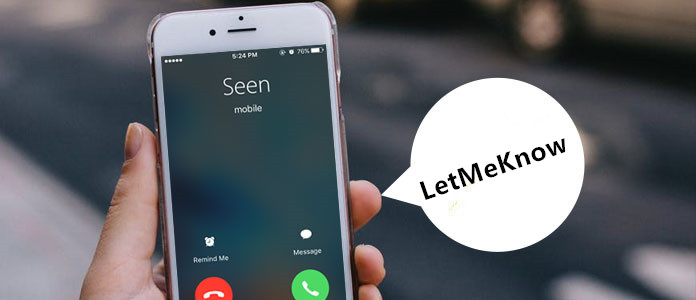

LetMeKnow Jailbreak Tweak Vibrates iPhone When Someone Picks Up Your Call


A jailbreak tweak called LetMeKnow is here to help. With this hack installed your iPhone will literally let you know when the person you are calling has picked up the call by playing a subtle vibration. The tweak’s functionality does not stop there though as it will also tell you when the call has ended or disconnected by vibrating the device right at disconnection. So with this tweak installed you can dial a number and conveniently hold the device in the hand without having to worry about other person receiving and waiting for you.


LetMeKnow tweak has been tested on iPhone 7 running iOS 11.1.2 and several users with iPhone X have reported success with the tweak as well. You can download it for free here from GitHub. Since Cydia is not on iOS 11 yet, you will have to install the .deb file manually.


Windows
Mac OS
iOS
Linux
3uTools
Win 64-bit For this device
V9.0 2025-11-11
Download
Win 32-bit For this device
V9.0 2025-11-11
Download
3uTools
Intel Chip How to Identify Chip Type
V9.0 2025-12-02
Download
Apple Silicon
V9.0 2025-12-02
Download
How to Identify Chip Type
1.  Click the Apple icon in the top-left corner of the screen and select About This Mac.
2.  Check the Processor or Chip field to determine if it is "Intel" or "Apple".
Please use the 3uTools PC client to install the iOS client:
1、 Install either the Windows or Mac version of 3uTools on your computer
2、 Open the PC client and connect your device to the computer via USB cable
3、 After the connection is successful, wait for the computer to automatically install the mobile app for the device, or locate “Install Mobile App” on the computer and manually click to install.
3uTools
deb file
V3.01 2025-11-20
Download
rpm file
V3.01 2025-11-20
Download
Windows
Windows
iOS
iOS
Android
Android
TV
TV
3uAirPlayer
Win 64-bit For this device
V6.0.2 2025-11-19
Download
Win 32-bit For this device
V6.0.2 2025-11-19
Download
iOS Device Mirroring (No App Required)
1、 Install 3uAirPlayer on the Windows PC
2、 Open Control Center and select Screen Mirroring
3、 From the list, choose your PC to start mirroring
4、 Or connect your iOS device to the PC via USB to begin mirroring
Scan to get "3uAirPlayer" App
3uAirPlayer TV V1.0.18
2025-11-28
TV System Requirements: Android 7.0 or later
Download the TV installation package, copy it to a USB drive, insert it into your TV or set-top box, then select the file from the home screen to install.



