
TUTORIALS

LockShot & BlurLock: Add "Frosted Glass" Effect to Your Lock Screen

10/26/2017

6179

Today, we are going to show you two jailbreak tweaks, your iDevice's lock  screen will add frosted glass" effect if you install one of them, let's have a look. 
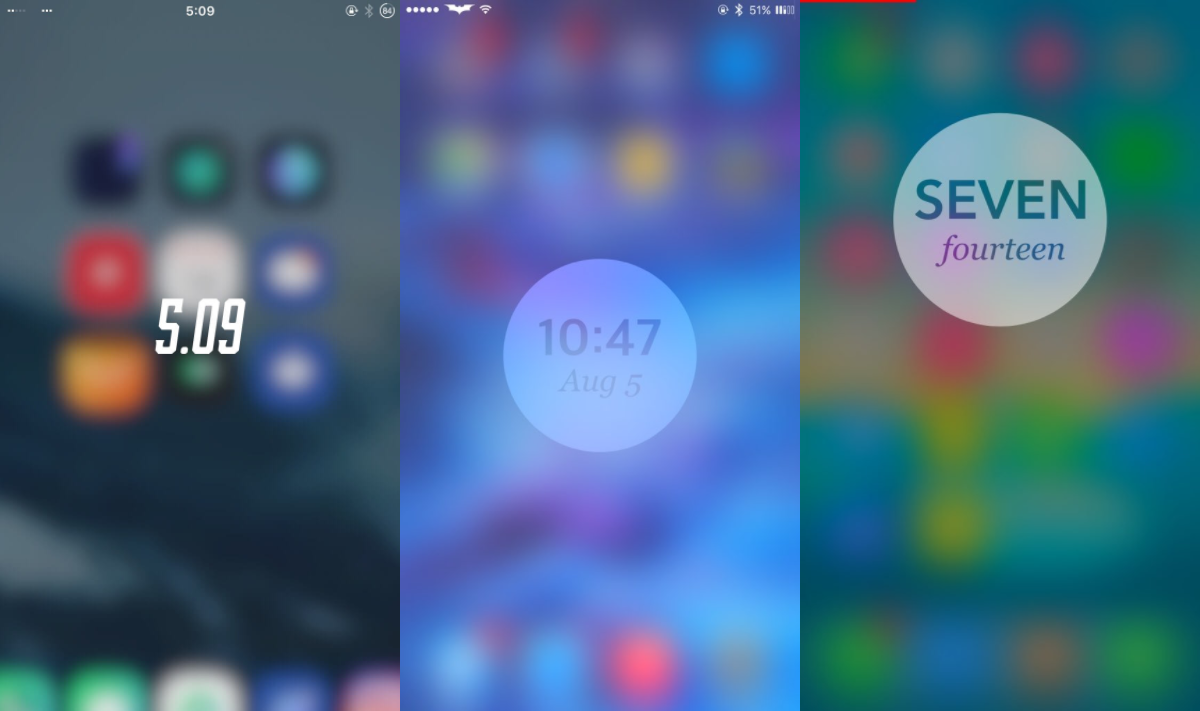
                                                           

LockShot & BlurLock: Add


LockShot

LockShot is a tweak which give a beautiful look to your lock screen. You will have a blurred view of what’s behind it!

Settings list:

- Enable/Disable the zoom unlock animation

- Customize the blur radius

- Add (or not) a tint color to the blur

How does it work?


Once you lock your device, what was on the screen is set as the lockscreen wallpaper.

Note: LockShot is not compatible with SleepFX, TVLocker Pro and the lock animation feature of Springtomize 3.

Configure options from Settings.


LockShot is compatible with jailbroken iDevice running on iOS 8.x.x -9.x.x. If you’re interested in it, you may download it from Cydia’s Bigboss org. Now, it is available for $ 0.99.


BlurLock


BlurLock, is a tweak which addd frosted glass effect on your lock, it is similar to LockShot.


Note: If you uninstall or disable this tweak, you'll need to manually set a new lock screen wallpaper to get rid of the effect.


Configure options from Settings. 


BlurLock is compatible with jailbroken iDevice running on iOS 9.0 -10.2. If you’re interested in it, you may download it from Cydia’s Bigboss org.


Windows
Mac OS
iOS
Linux
3uTools
Win 64-bit For this device
V9.0 2025-11-11
Download
Win 32-bit For this device
V9.0 2025-11-11
Download
3uTools
Intel Chip How to Identify Chip Type
V9.0 2025-12-02
Download
Apple Silicon
V9.0 2025-12-02
Download
How to Identify Chip Type
1.  Click the Apple icon in the top-left corner of the screen and select About This Mac.
2.  Check the Processor or Chip field to determine if it is "Intel" or "Apple".
Please use the 3uTools PC client to install the iOS client:
1、 Install either the Windows or Mac version of 3uTools on your computer
2、 Open the PC client and connect your device to the computer via USB cable
3、 After the connection is successful, wait for the computer to automatically install the mobile app for the device, or locate “Install Mobile App” on the computer and manually click to install.
3uTools
deb file
V3.01 2025-11-20
Download
rpm file
V3.01 2025-11-20
Download
Windows
Windows
iOS
iOS
Android
Android
TV
TV
3uAirPlayer
Win 64-bit For this device
V6.0.2 2025-11-19
Download
Win 32-bit For this device
V6.0.2 2025-11-19
Download
iOS Device Mirroring (No App Required)
1、 Install 3uAirPlayer on the Windows PC
2、 Open Control Center and select Screen Mirroring
3、 From the list, choose your PC to start mirroring
4、 Or connect your iOS device to the PC via USB to begin mirroring
Scan to get "3uAirPlayer" App
3uAirPlayer TV V1.0.18
2025-11-28
TV System Requirements: Android 7.0 or later
Download the TV installation package, copy it to a USB drive, insert it into your TV or set-top box, then select the file from the home screen to install.



