 TUTORIALS
10.3.1 Exploit May Allow iOS 10.2 Downgrade and Jailbreak
 08/15/2017
 6445
6445
We have posted a series of iOS 10.3.3 Jailbreak Status: Is Jailbreaking Dead? And new releases into the jailbreak community that Adam Donenfeld has signaled his intention to release a number of exploits prior to this year’s Hack in the Box (HITB) conference, which will essentially allow downgrade from iOS 10.3.1 to iOS 10.2 for jailbreak purposes.
As part of the research for that talk, Donenfeld and his team at Zimperium managed to find multiple privilege escalation vulnerabilities within iOS which affect all devices on the market. Which is why Donenfeld has been questioned about whether or not those exploits would be released since they have now been patched by Apple.
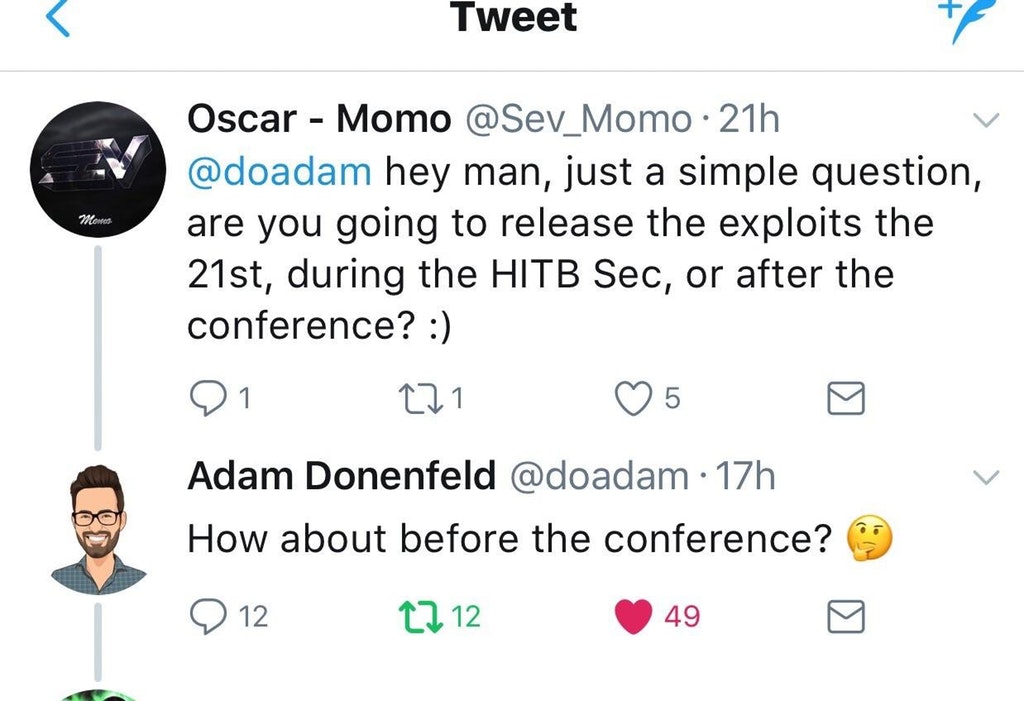
His answer? Well, posting to Twitter, he alludes to the fact that he has plans to publicly release those exploits prior to the conference beginning on August 21. If that happens, it means that non-jailbroken device owners running iOS 10.3.1 will be able to downgrade to iOS 10.2 – which is a jailbreakable firmware – as long as they already have their iOS 10.2 SHSH2 blobs saved from the time when Apple was still digitally signing that particular version of iOS.
If you are wondering why you’d want to go back from iOS 10.3.1 to iOS 10.2, the answer is very simple; the yalu102 jailbreak tool is a stable and functional semi-untethered jailbreak for that firmware. Downgrading means that you can instantly have access to a jailbreak and all of the benefits that it brings.
It doesn’t apply to everyone as there is still a requirement for those iOS 10.2 SHSH blobs to have been saved when Apple was signing iOS 10.2, but it’s definitely good news for those still sitting on iOS 10.3.1 who fulfill that criteria. 3uTools will be sure to bring more on the situation as it unfolds. Stay tuned.
Source: redmondpie










