NEWS

Some Apple Watch Series 3 Repairs Will Get Series 4 Upgrade

05/21/2019

2605

Some Apple Watch Series 3 Repairs Will Get Series 4 Upgrade


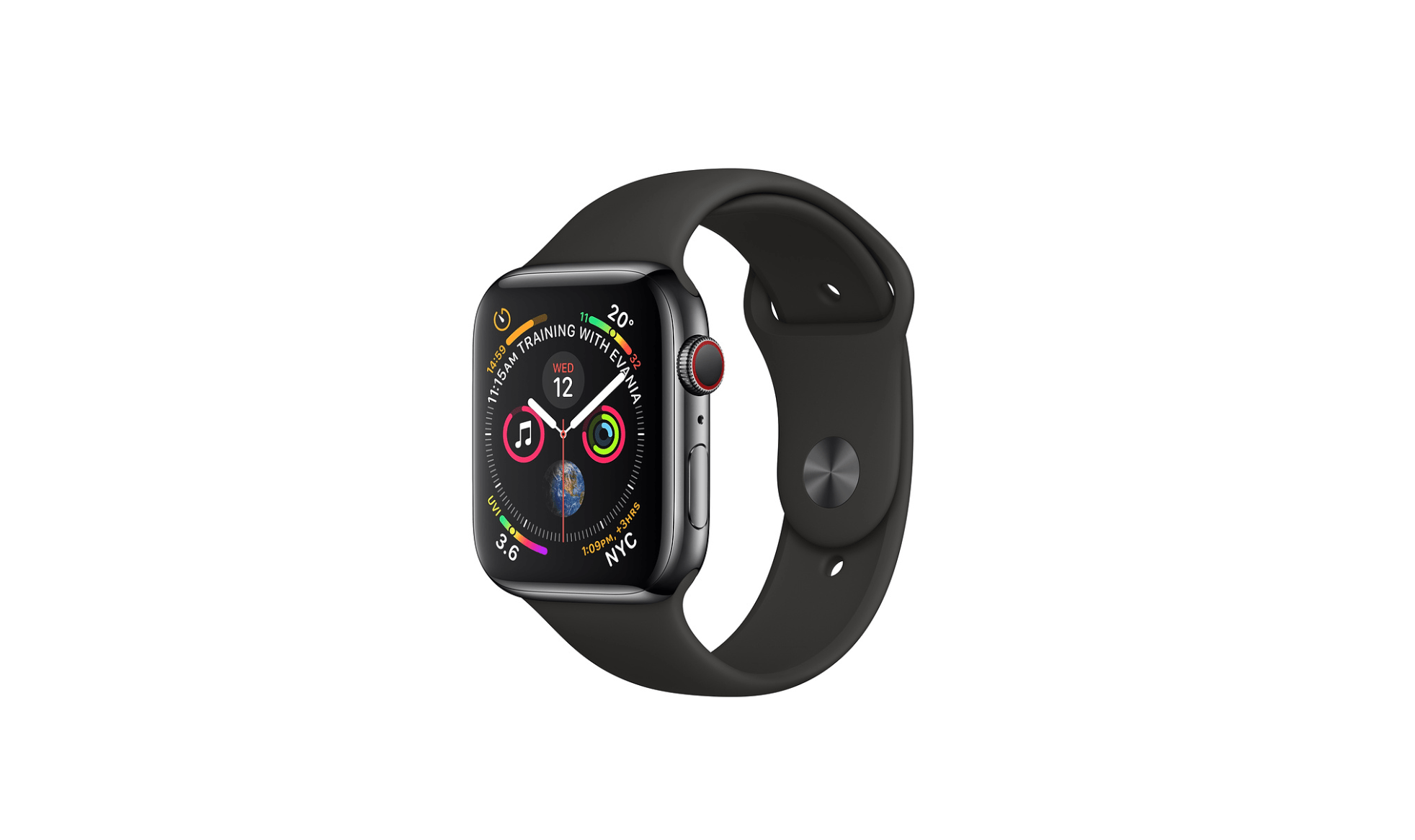
Apple appears to be running low on inventory for Apple Watch Series 3 repairs as the company informed store staff today that it will substitute some Series 3 repairs with the newer Apple Watch Series 4. Apple announced the change in an internal memo that was delivered to Apple Store repair staff and Apple's Authorized Service Providers, according to sources briefed on the update.


The change means that customers looking for a repair or replacement for their Apple Watch Series 3 Stainless Steel (GPS + Cellular) model will instead be fulfilled with Apple Watch Series 4, Stainless Steel (GPS + Cellular) inventory as a replacement due to constraints on the older model.


The inventory shortage and Apple Watch Series 4 substitutes apply to both Apple Stores and Authorized Service Providers globally, but Apple doesn't provide any indication of whether or not the constraints and Series 4 upgrades will be temporary.


This isn't the first time that Apple has offered customers newer devices as replacements when it experiences part or model shortages for repairs. Back in January, the company started offering Series 2 as a substitute for 42mm Series 1 and original first-generation Apple Watch repairs as it began to run low on stock for repairs on those models.


Source: 9to5mac


Windows
Mac OS
iOS
Linux
3uTools
Win 64-bit For this device
V9.0 2025-11-11
Download
Win 32-bit For this device
V9.0 2025-11-11
Download
3uTools
Intel Chip How to Identify Chip Type
V9.0 2025-12-02
Download
Apple Chip
V9.0 2025-12-02
Download
How to Identify Chip Type
1.  Click the Apple icon in the top-left corner of the screen and select About This Mac.
2.  Check the Processor or Chip field to determine if it is "Intel" or "Apple".
Please use the 3uTools PC client to install the iOS client:
1、 Install either the Windows or Mac version of 3uTools on your computer
2、 Open the PC client and connect your device to the computer via USB cable
3、 After the connection is successful, wait for the computer to automatically install the mobile app for the device, or locate “Install Mobile App” on the computer and manually click to install.
3uTools
deb file
V3.01 2025-11-20
Download
rpm file
V3.01 2025-11-20
Download
Windows
Windows
iOS
iOS
Android
Android
TV
TV
3uAirPlayer
Win 64-bit For this device
V6.0.2 2025-11-19
Download
Win 32-bit For this device
V6.0.2 2025-11-19
Download
iOS Device Mirroring (No App Required)
1、 Install 3uAirPlayer on the Windows PC
2、 Open Control Center and select Screen Mirroring
3、 From the list, choose your PC to start mirroring
4、 Or connect your iOS device to the PC via USB to begin mirroring
Scan to get "3uAirPlayer" App
3uAirPlayer TV V1.0.18
2025-11-28
TV System Requirements: Android 7.0 or later
Download the TV installation package, copy it to a USB drive, insert it into your TV or set-top box, then select the file from the home screen to install.