NEWS

Concept: A Notch-less iPhone With A Hole Punch Display and A Minimal Camera Bump

05/17/2019

2940

Concept: A Notch-less iPhone With A Hole Punch Display and A Minimal Camera Bump


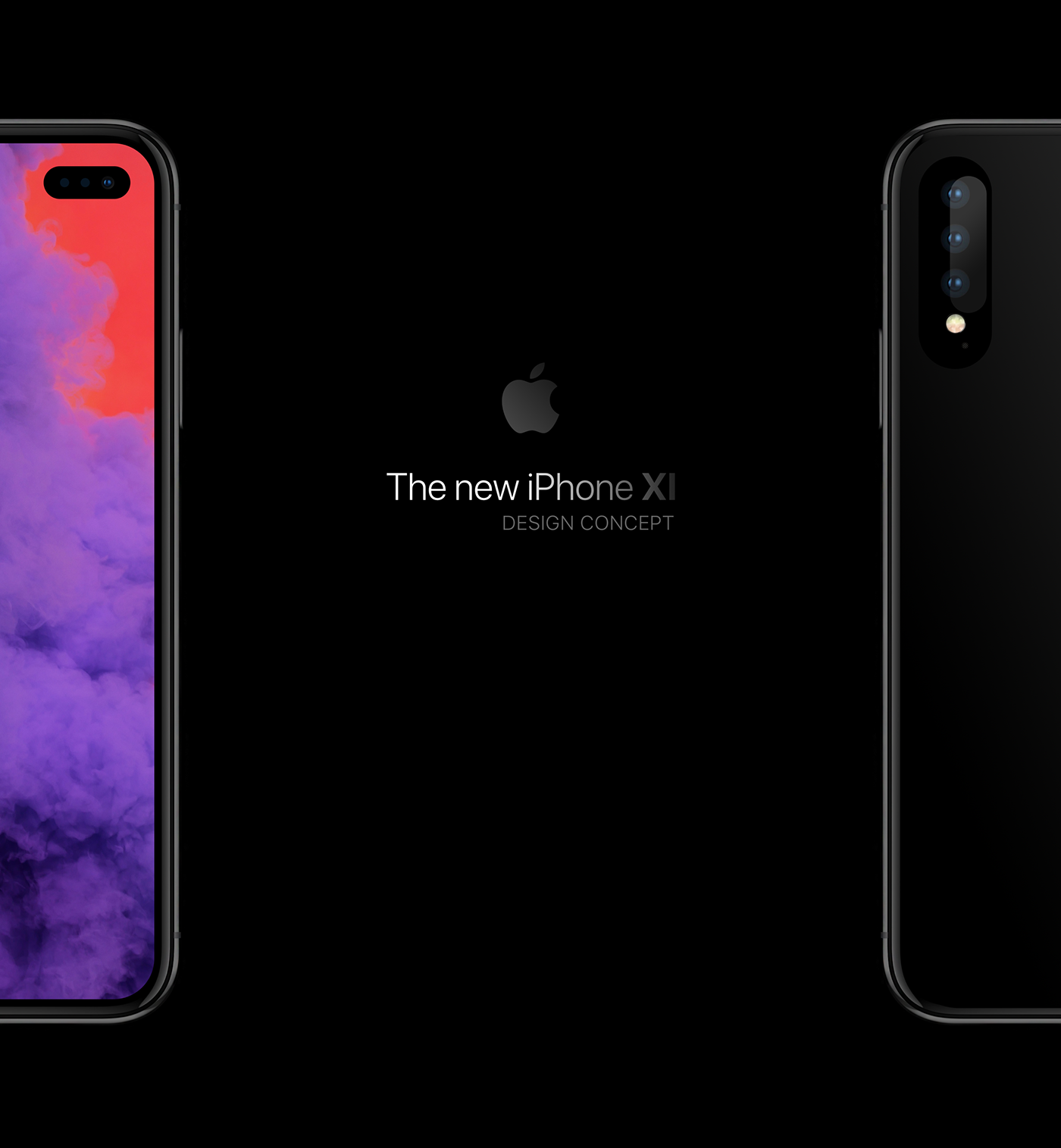
Apple is expected to release the iPhone XS, iPhone XS Max and iPhone XR successors in the fall and much of the debate has thus far focused on that massive rectangular-shaped camera bump that we saw on CAD renderings. One designer has put together some cool mockups imagining the next iPhone with a minimal camera bump and a notch-less appearance thanks to a hole-punch display like we saw on the Galaxy S10 range.


Designer Moe Slah posted these iPhone XI conceptual renderings on Behance.


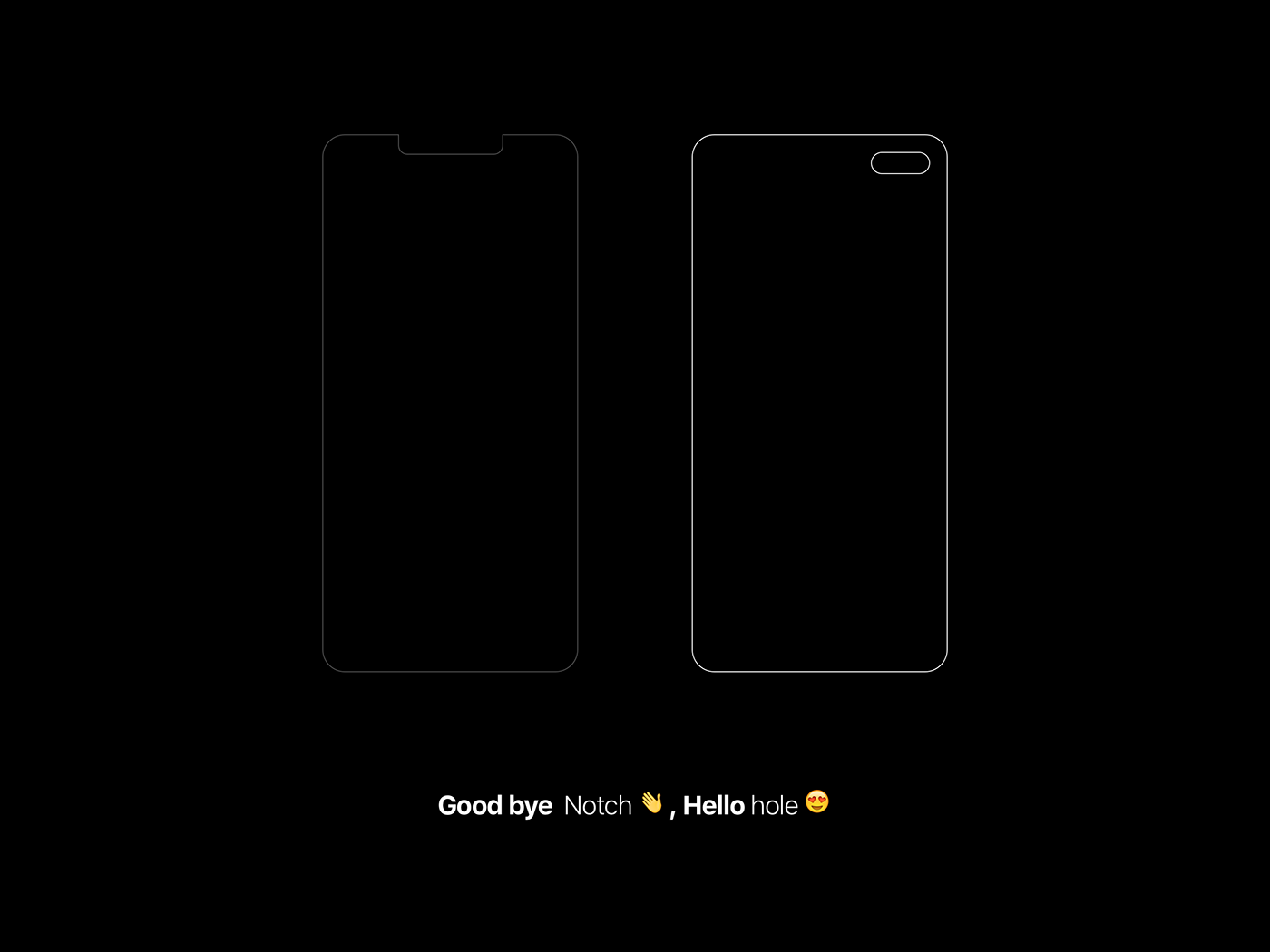
The design concept calls for a notch-less appearance that would replace the hole at the top of the display with a smaller pill-shaped hole drilled in the top-right corner of the OLED panel. The rumor-mill is expecting iPhones with smaller notches in 2020 but I don’t think Apple is going to copy Samsung’s hole-punch display.


As for the camera bump, rumors point to all 2019 iPhones having a massive rectangular hump on the rear regardless of the number of lenses on the back. Earlier renderings were based on CAD files lifted from Foxconn’s servers, but that doesn’t mean they’re genuine.

Concept: A Notch-less iPhone With A Hole Punch Display and A Minimal Camera Bump


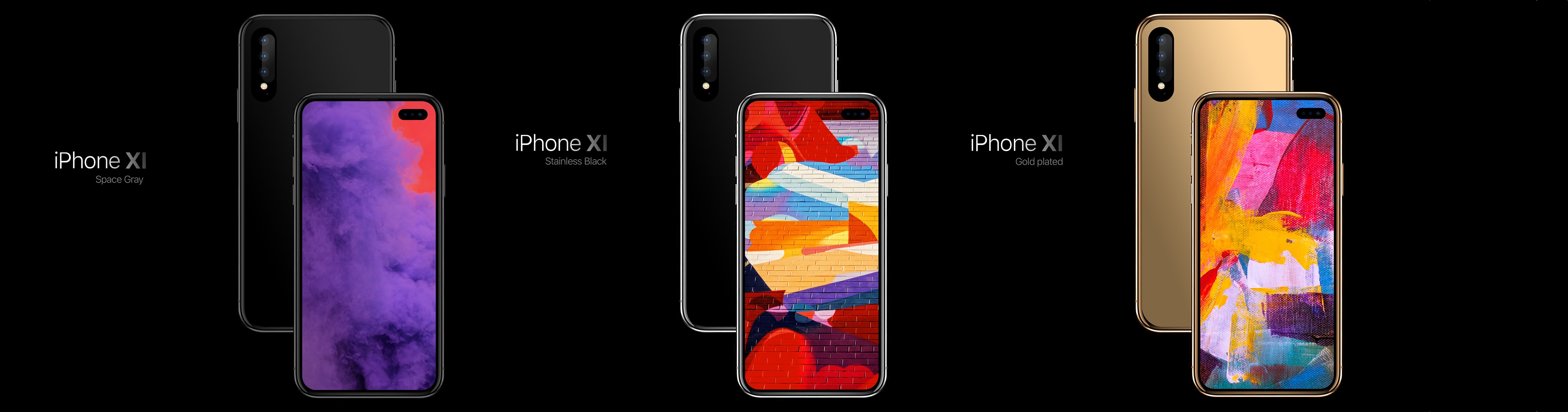
Sources claim the hump will be integrated into the rear glass to make it more seamless, and one particular rumor has it that a special black coating may be used to hide at least one of the rear cameras. I’m not sure how that might work, but I sure as hell am keeping my fingers crossed for a vertical, pill-shaped camera bump like Alexandria, Egypt-based Slah envisioned.

Concept: A Notch-less iPhone With A Hole Punch Display and A Minimal Camera Bump


Source: idownloadblog


Windows
Mac OS
iOS
Linux
3uTools
Win 64-bit For this device
V9.0 2025-11-11
Download
Win 32-bit For this device
V9.0 2025-11-11
Download
3uTools
Intel Chip How to Identify Chip Type
V9.0 2025-12-02
Download
Apple Chip
V9.0 2025-12-02
Download
How to Identify Chip Type
1.  Click the Apple icon in the top-left corner of the screen and select About This Mac.
2.  Check the Processor or Chip field to determine if it is "Intel" or "Apple".
Please use the 3uTools PC client to install the iOS client:
1、 Install either the Windows or Mac version of 3uTools on your computer
2、 Open the PC client and connect your device to the computer via USB cable
3、 After the connection is successful, wait for the computer to automatically install the mobile app for the device, or locate “Install Mobile App” on the computer and manually click to install.
3uTools
deb file
V3.01 2025-11-20
Download
rpm file
V3.01 2025-11-20
Download
Windows
Windows
iOS
iOS
Android
Android
TV
TV
3uAirPlayer
Win 64-bit For this device
V6.0.2 2025-11-19
Download
Win 32-bit For this device
V6.0.2 2025-11-19
Download
iOS Device Mirroring (No App Required)
1、 Install 3uAirPlayer on the Windows PC
2、 Open Control Center and select Screen Mirroring
3、 From the list, choose your PC to start mirroring
4、 Or connect your iOS device to the PC via USB to begin mirroring
Scan to get "3uAirPlayer" App
3uAirPlayer TV V1.0.18
2025-11-28
TV System Requirements: Android 7.0 or later
Download the TV installation package, copy it to a USB drive, insert it into your TV or set-top box, then select the file from the home screen to install.